
Impersonation Explorer
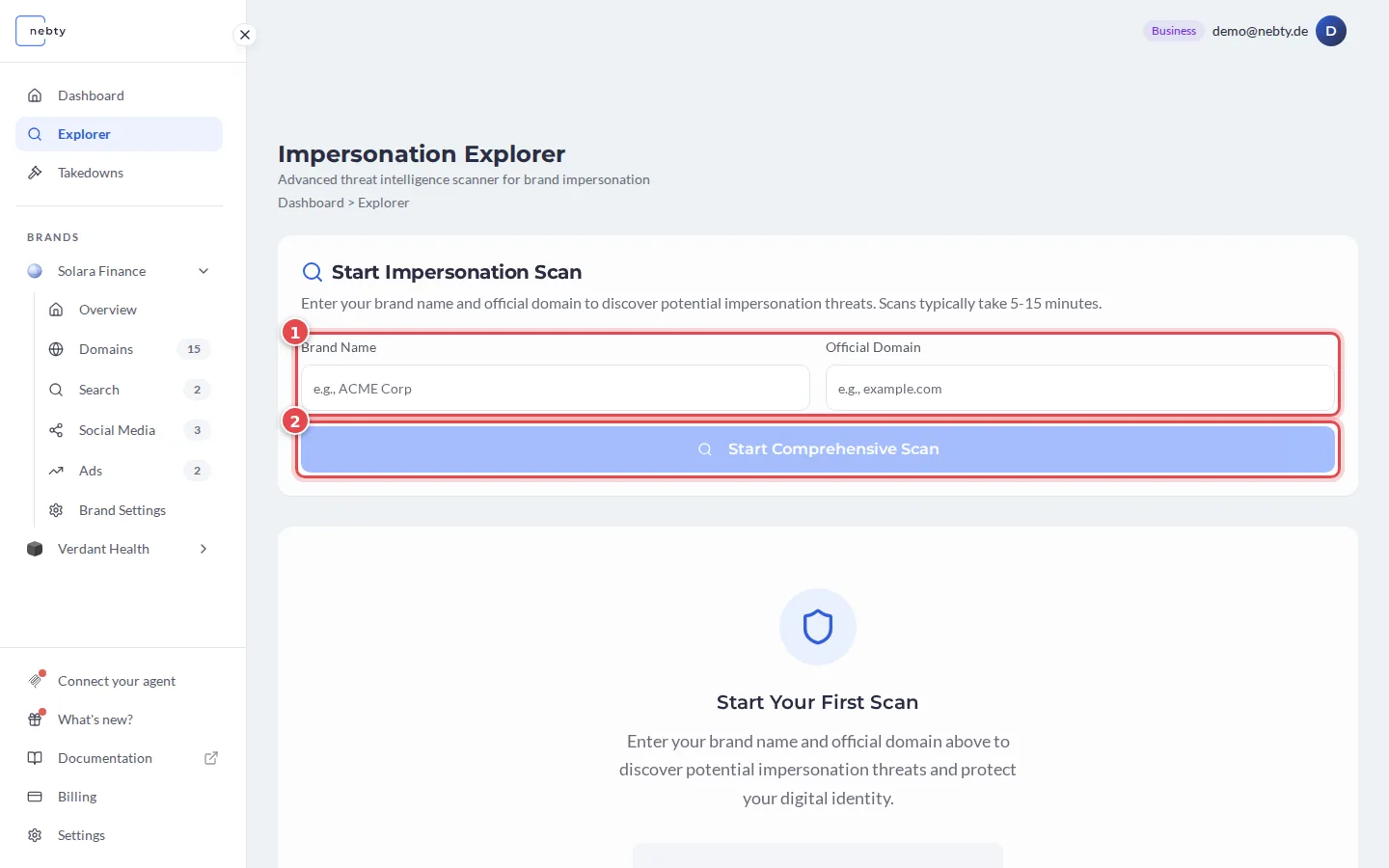
The Impersonation Explorer is a public, self-serve scan you can run against any domain, no nebty account required. It sits on nebty’s public site behind a quick Turnstile challenge, a background security check that keeps the scan from being abused by bots. Signed-in nebty users find it as Explorer in the sidebar. The red numbers in the screenshot match the numbers in the text.
What it does
Section titled “What it does”In the Start Impersonation Scan form (1), you enter the Brand Name you want to check and the Official Domain that genuinely belongs to it. Then you select Start Comprehensive Scan (2). From there, the Impersonation Explorer runs a real, live scan of the Certificate Transparency logs, the public record of every SSL certificate issued on the internet, and returns the look-alike domains it finds registered against that name.
This is a live scan against real internet data every time you run it, not a preview built from sample data. A scan typically takes 5 to 15 minutes. The screenshot shows the empty form only: because every scan is live, there is no sample result to show.
For each look-alike domain, you get:
- Where it is hosted.
- When it was registered.
- A short write-up of the evidence behind the flag.
- A risk level, Low, Med, or High, so you can tell at a glance which domains deserve the closest look first.
If nothing suspicious turns up for the domain you searched, the scan tells you so directly instead of listing anything.
Rate limits
Section titled “Rate limits”Anyone can run a scan without signing in, but scans are rate-limited to keep the Certificate Transparency search available for everyone. Signed-in nebty users get a higher limit than anonymous visitors.
See the changelog for the latest on tiered Impersonation Explorer limits.