

Interpret DNS signals
This guide shows you how to read a domain’s DNS details and use them as one more signal when you judge a finding. The red numbers in the screenshots match the numbers in each step.
Before you start
Section titled “Before you start”You need an account with a brand that has domain findings, or a domain to look at in the demo. No DNS expertise is required.
-
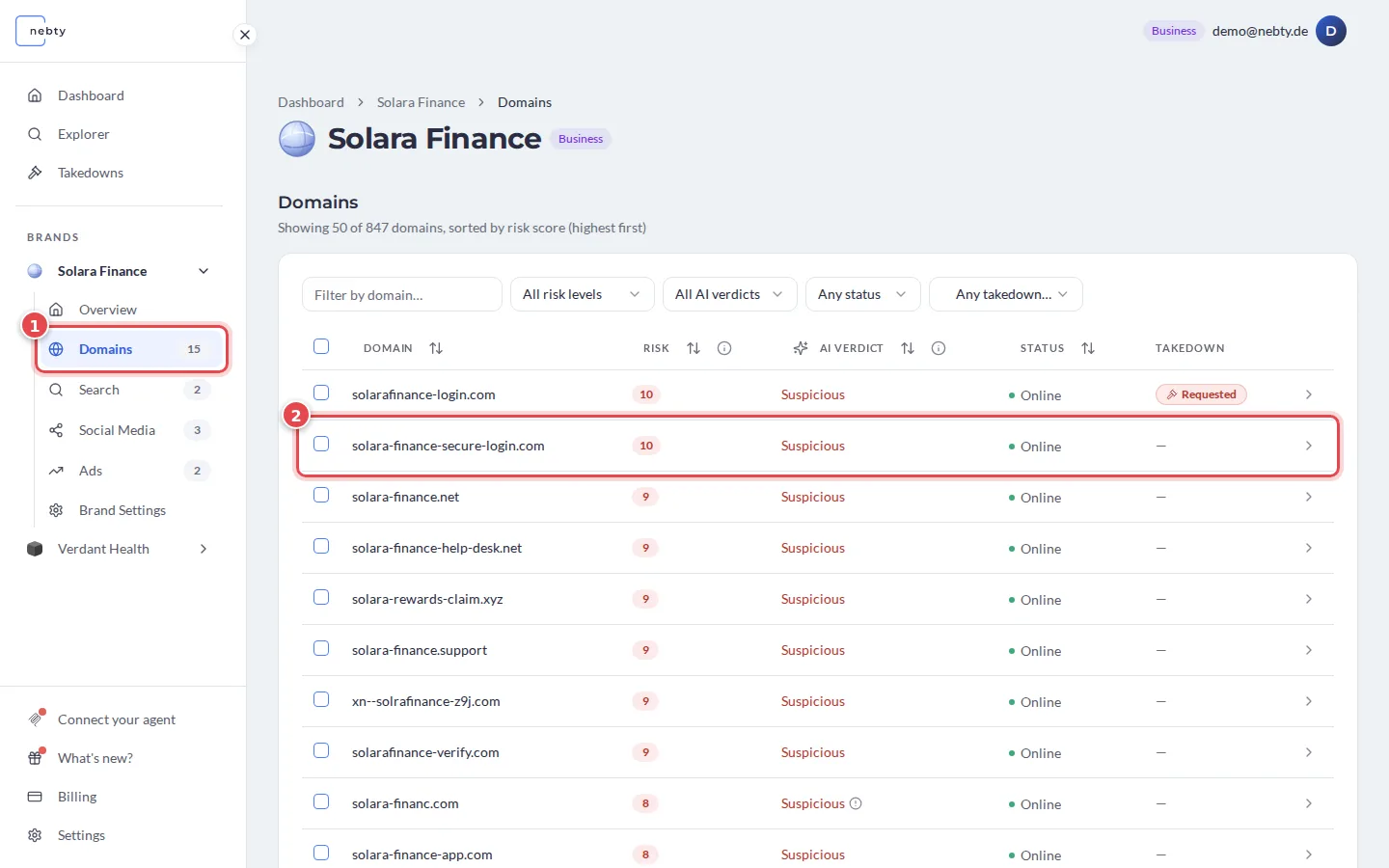
Open the domain. In the Domains tab (1) of the brand (Domain Monitoring), select the domain you want to look at (2).
-
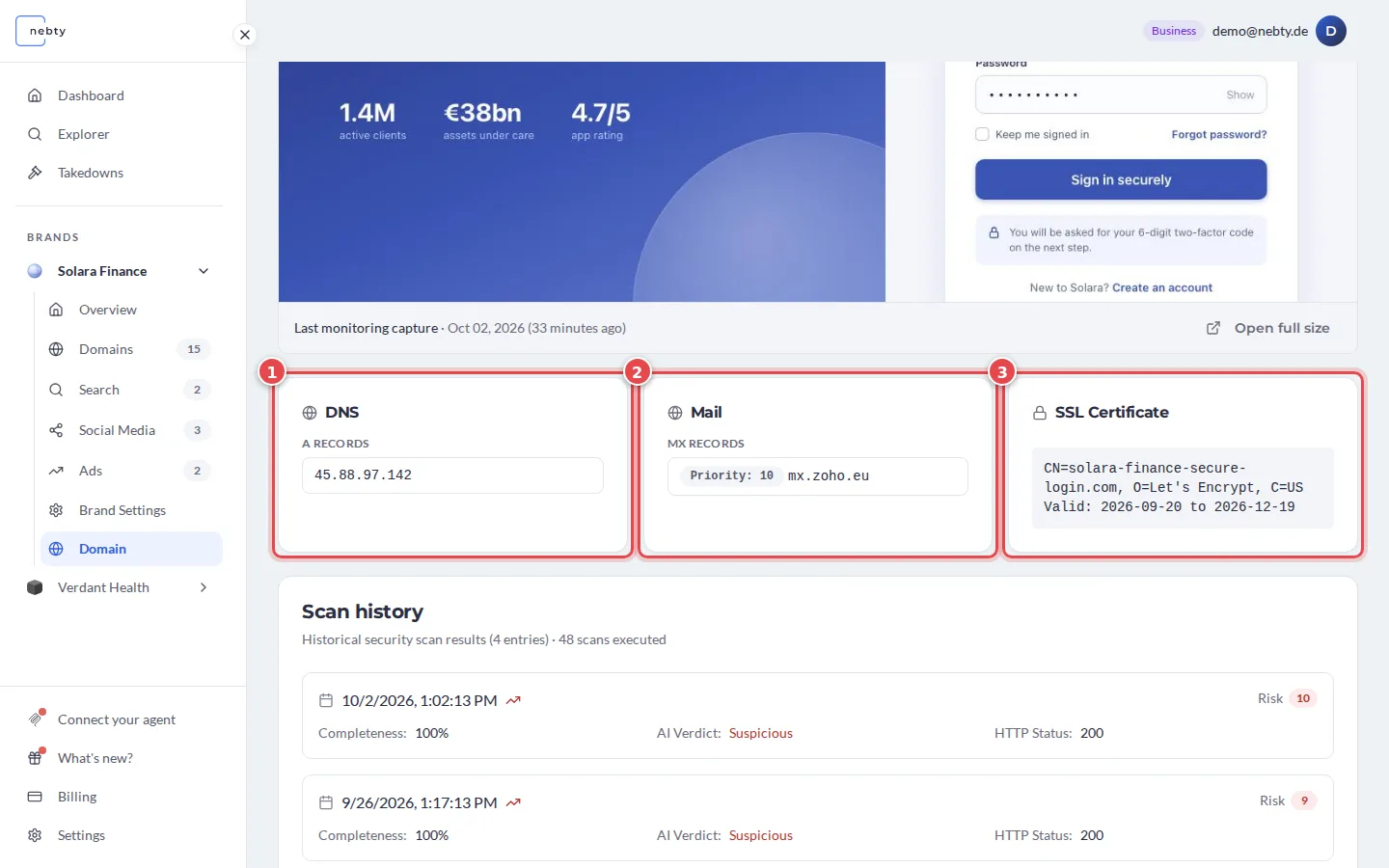
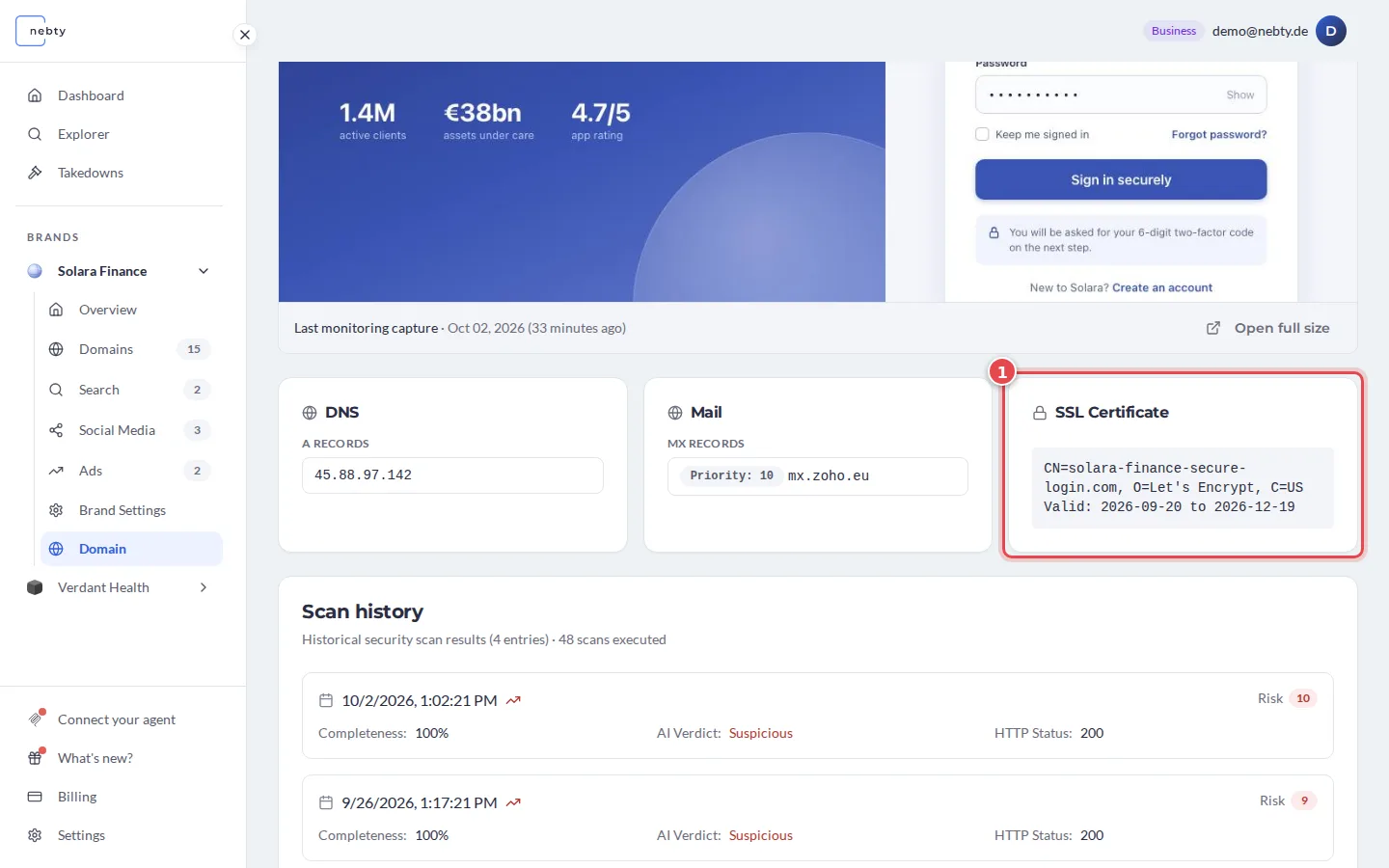
Find the DNS details. There is no separate DNS tab. Scroll down the domain page, below the screenshot of the site, to three panels side by side: DNS (1), Mail (2) and SSL Certificate (3). nebty has already collected this information, so you do not have to look it up yourself. DNS lists the A Records, the IP addresses the domain points to. Mail lists the MX Records, the mail servers of the domain. SSL Certificate shows the certificate details and the dates it is valid (line Valid). An organization named there is not proof of the website operator’s identity.
-
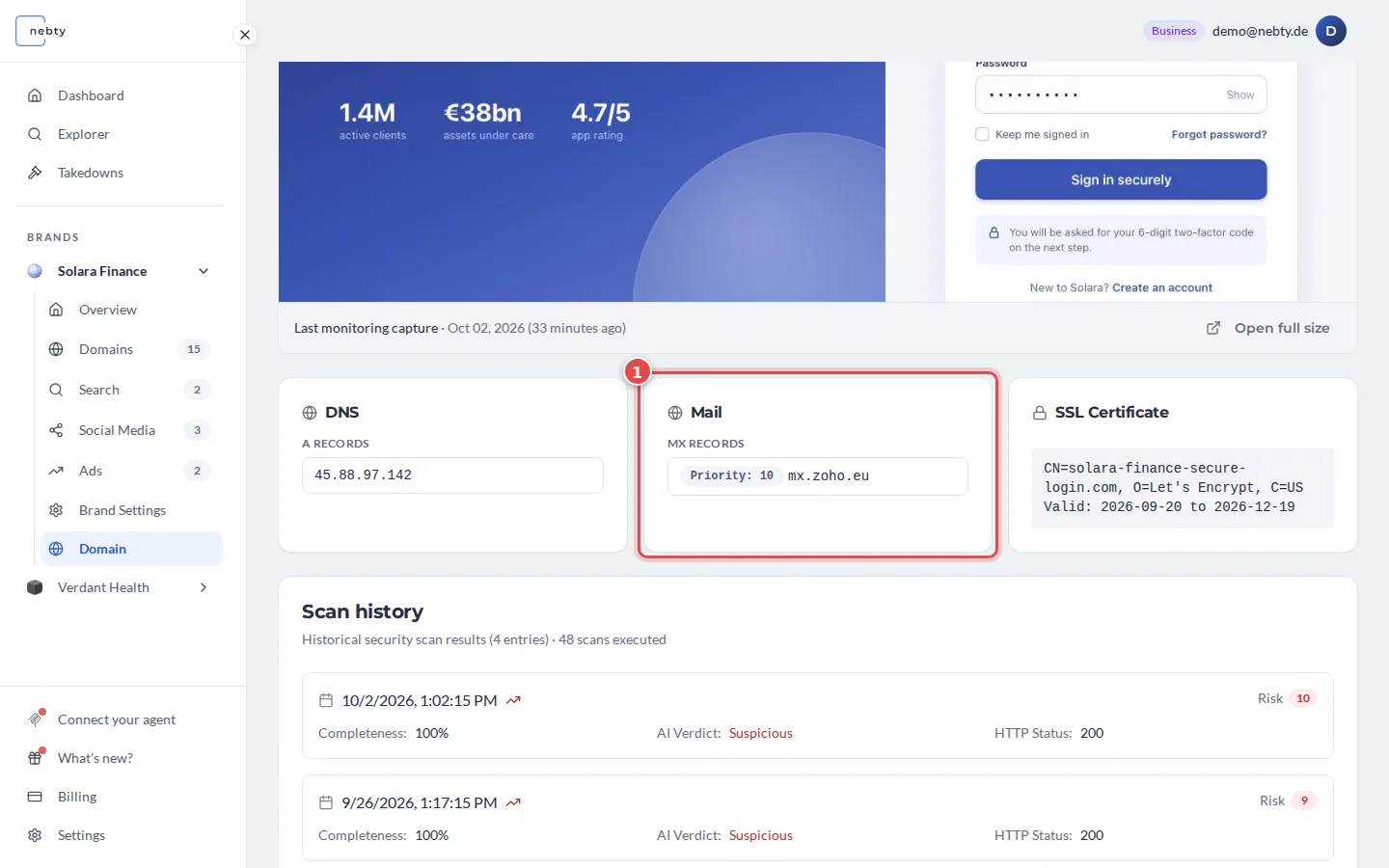
Check the mail records. MX Records in the Mail panel (1) mean the domain is set up to receive email. Here the domain has one mail server with priority 10.
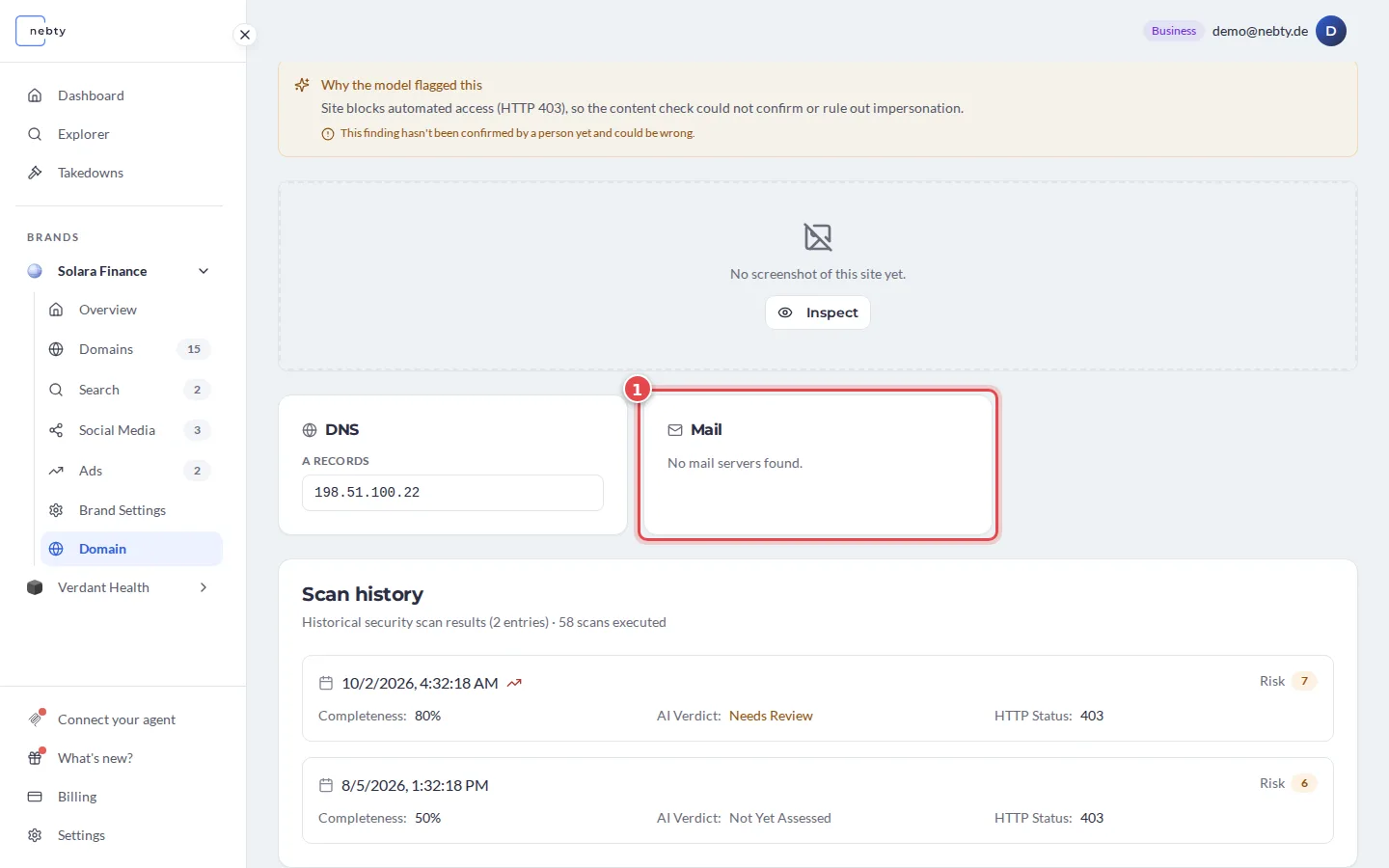
Without mail records, the panel says that no mail servers were found (1).
-
Check the certificate. In the SSL Certificate panel (1), look at the Valid line. It shows the start and end of the certificate’s validity period. Compare the start with First detected at the top of the page for context. Neither date tells you when the domain was registered; a certificate can also be renewed for an existing site.
-
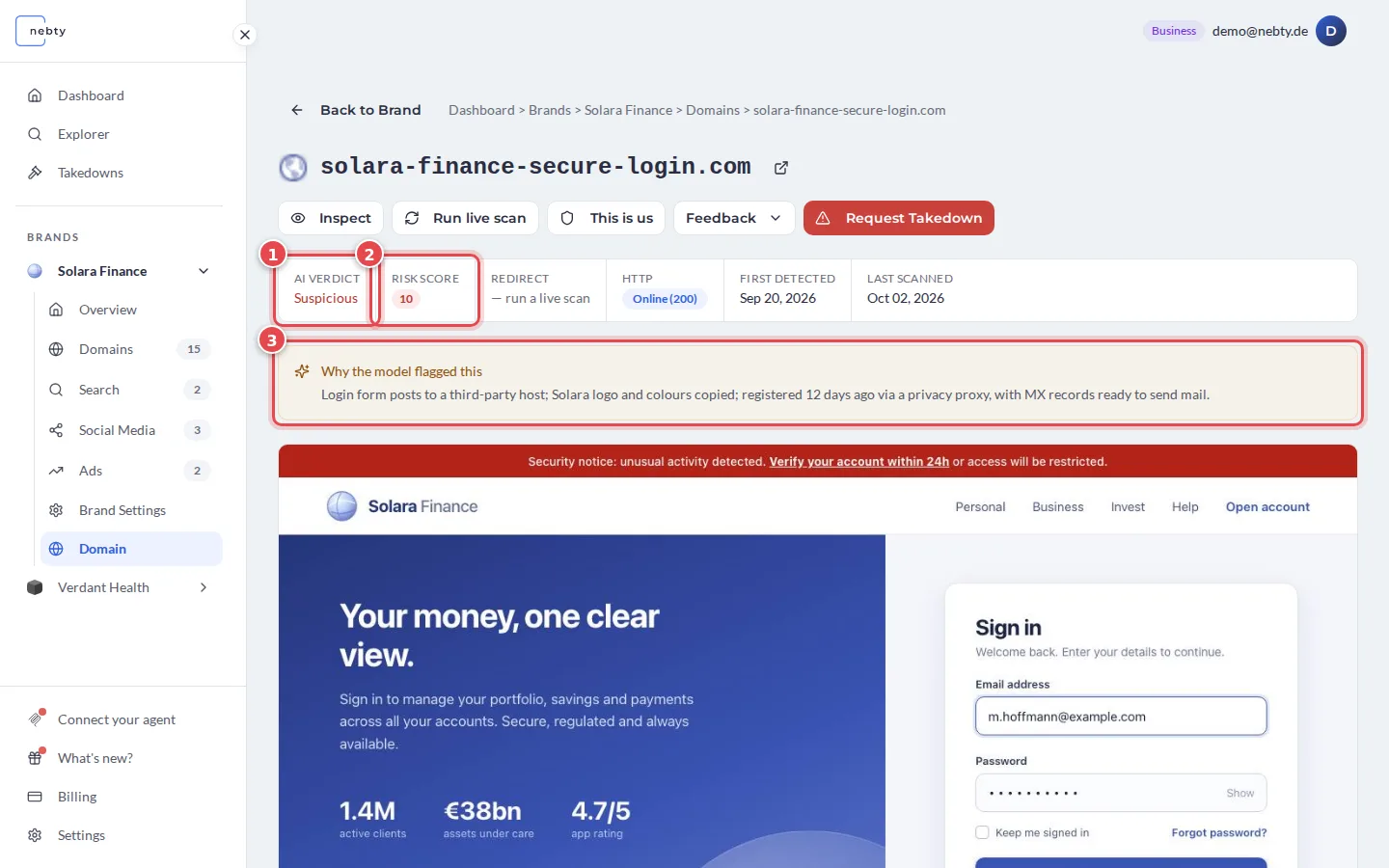
Weigh what you see alongside the Risk Score and the AI Verdict, not instead of them. Look at the verdict (1), the score (2) and the reasons (3) first. Two details can add context:
- MX records identify mail servers intended to receive email for the domain. They do not establish whether it can send email, and their absence does not rule out sending. Check the domain’s relationship to your brand before deciding whether it is a threat.
- Certificate validity dates help you place the captured site’s HTTPS configuration in time. They do not establish domain age or malicious intent.
What happens next
Section titled “What happens next”DNS details describe how a domain is set up, not who is behind it or what it will be used for. A domain with no active mail records is not automatically safe, and one with a fresh certificate is not automatically malicious on that basis alone. Treat these details as extra context for your triage decision, alongside the Risk Score and the AI Verdict, not as a verdict by themselves.
Related: Domain Monitoring.
Open a domain detail in the demo(opens the public demo with sample data)