Domain Monitoring
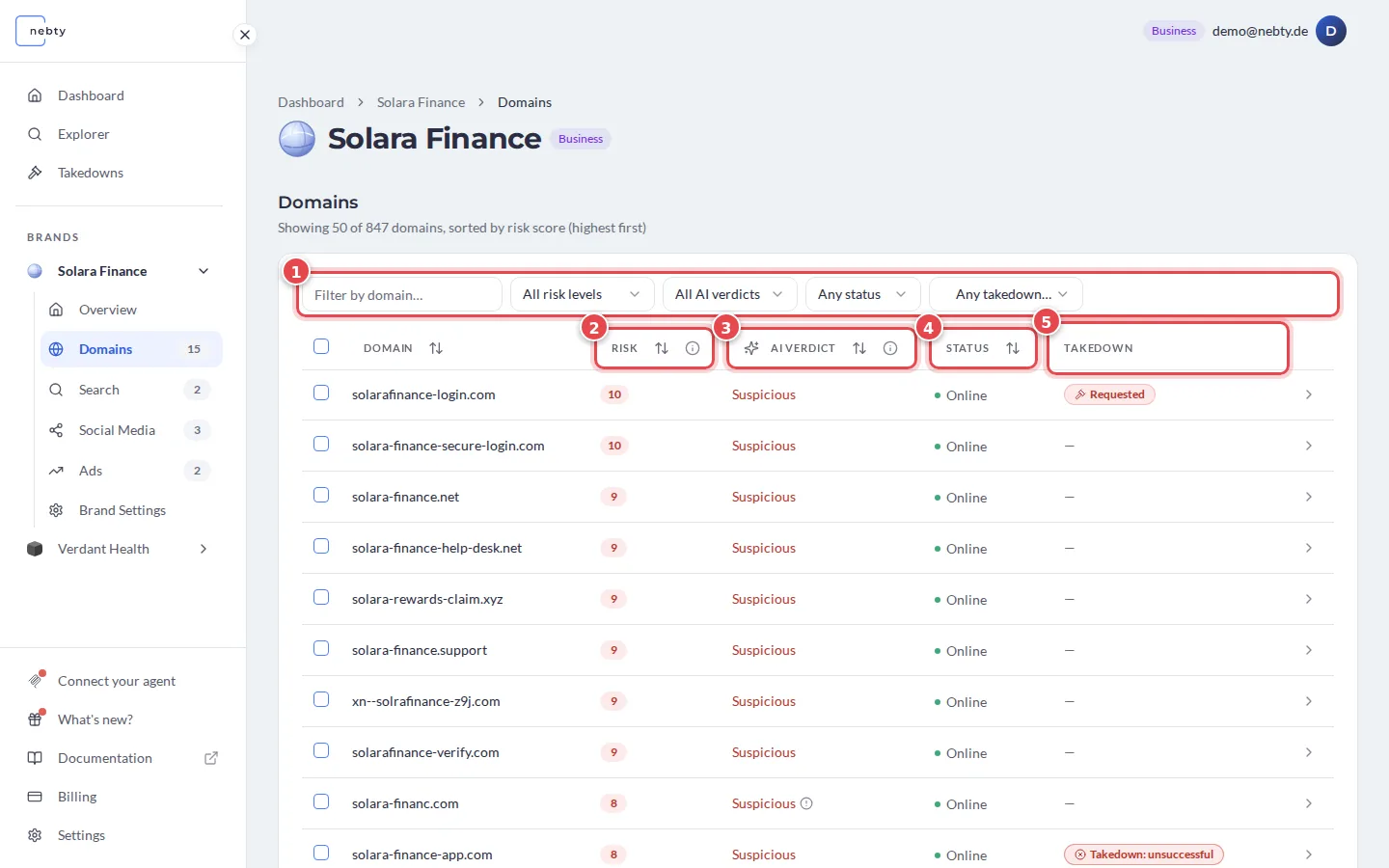
Domain Monitoring finds look-alike and fraudulent domains that trade on your brand, from typosquats to new registrations that copy your name. It lives on the Domains tab of a brand in nebty. The red numbers in the screenshots match the numbers in the text.
The findings table
Section titled “The findings table”Every domain nebty finds appears as a row with:
- Domain: the domain name itself.
- Risk Score: 0 to 10, with Low (1 to 3), Medium (4 to 7), and High (8 to 10) bands; 0 means no risk. See How the Risk Score works.
- AI Verdict: Suspicious, Benign, or Unknown.
- Status: whether the site is Online, Offline, or answers with an HTTP code.
- Takedown: shows whether a Takedown was requested for that domain and, once it is finished, how it ended.
The columns Risk (2), AI Verdict (3), Status (4) and Takedown (5) are marked in the screenshot. The list starts with the highest Risk Score. Select the Domain, Risk, AI Verdict or Status header to sort by that column. Use the filters (1) to narrow the list by risk level, AI verdict, status or takedown state, or to find one domain by name.
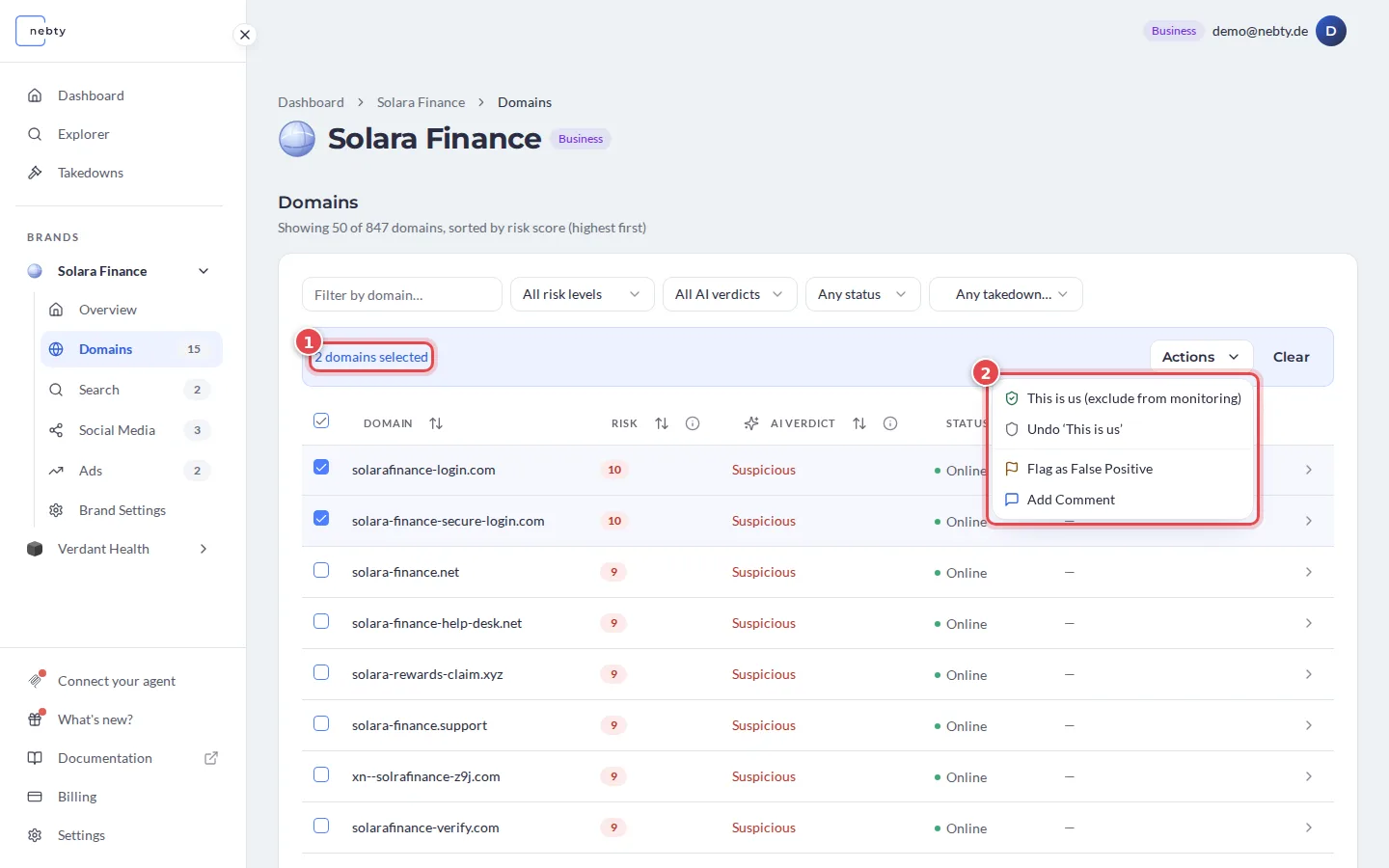
You can also select several rows at once. A bar then shows how many domains are selected (1), and its Actions menu (2) lets you handle them together instead of one by one: This is us, Undo ‘This is us’, Flag as False Positive and Add Comment. Clear drops the selection.
The domain detail
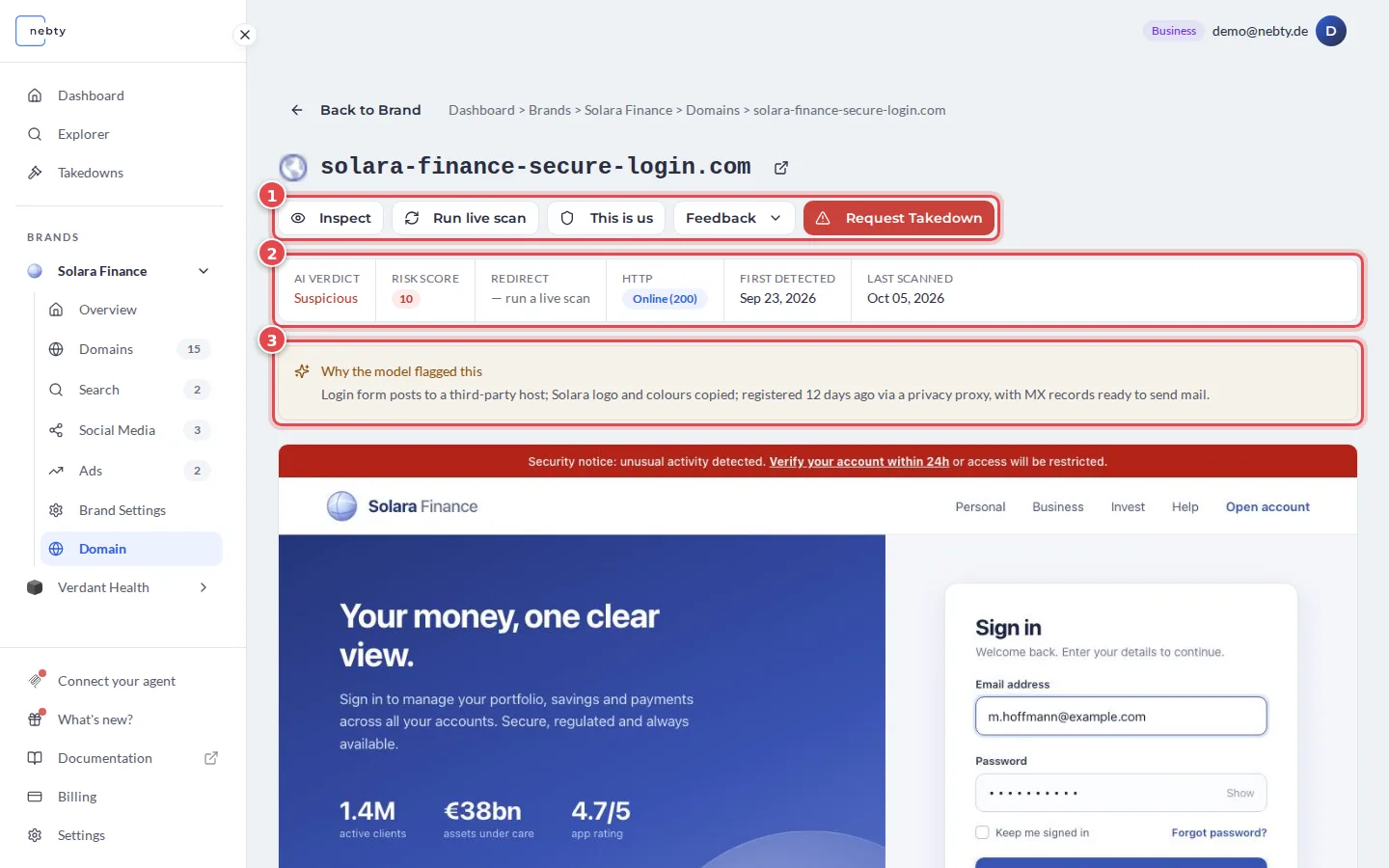
Section titled “The domain detail”Opening a domain takes you to its detail page. It is a single page that you scroll, from top to bottom:
- The action bar (1): Inspect, Run live scan, This is us, Feedback and Request Takedown.
- The status strip (2): AI Verdict, Risk Score, Redirect, HTTP, First detected and Last scanned.
- Why the model flagged this (3): the AI’s short reason for its verdict.
- A capture of the site, the last monitoring capture.
Inspect is a live preview of what the site currently shows. Request Takedown is for when you have decided the domain is a genuine threat. In the public demo, Inspect returns a placeholder image rather than a live capture; on a real brand it fetches a current screenshot of the site.
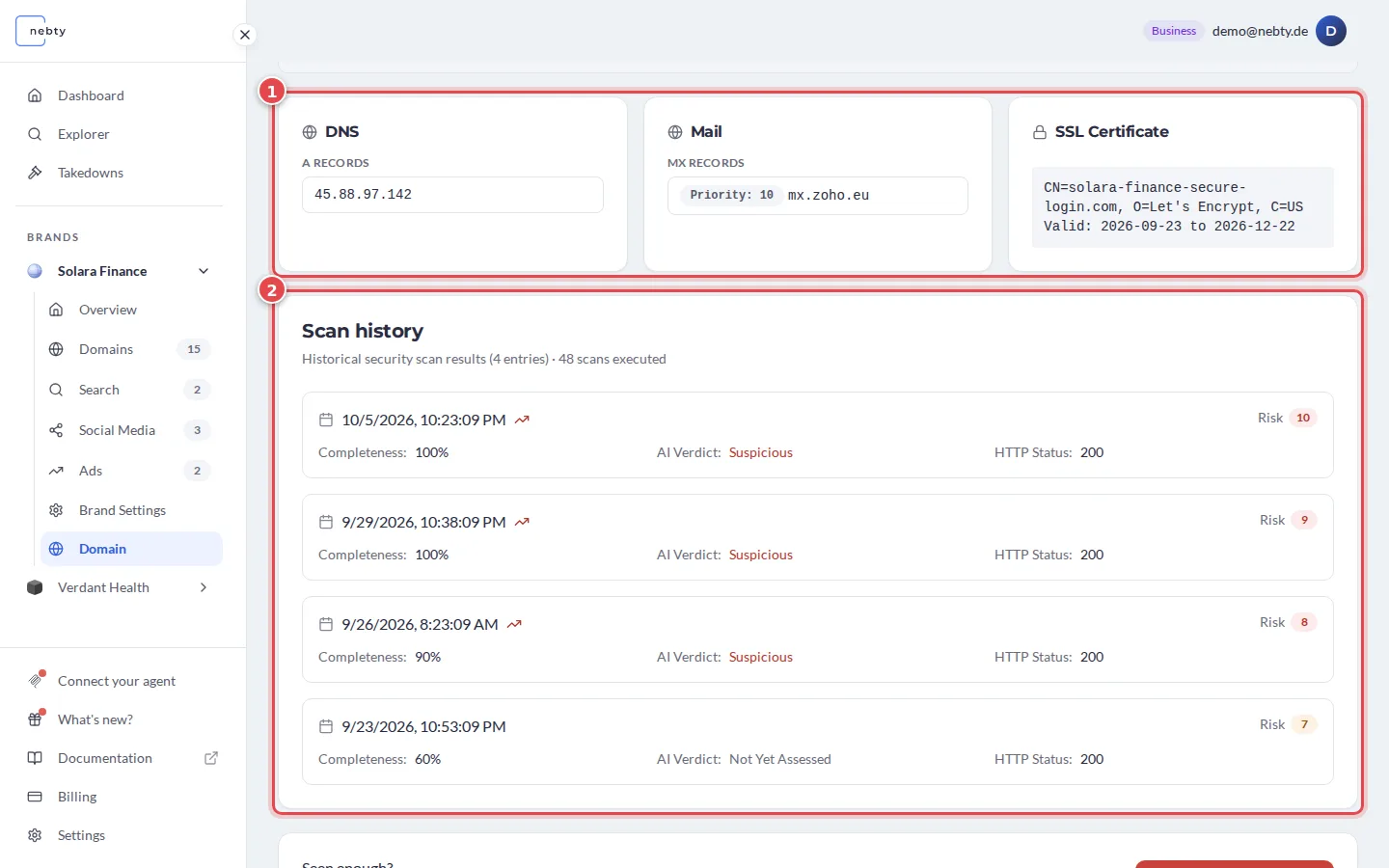
Further down, the page shows the domain’s DNS, Mail and SSL Certificate records (1). The Scan history (2) lists earlier scans, each with its Risk, Completeness, AI Verdict and HTTP Status, so you can see how the domain changed over time.
How to act
Section titled “How to act”A high Risk Score combined with a Suspicious AI Verdict is the clearest signal that a domain deserves your attention. From there:
- This is us: the domain is yours. Its Risk Score becomes 0 for this brand, and nebty stops flagging it.
- Flag as False Positive: the AI Verdict looks wrong; this is not impersonation.
- Request Takedown: open the domain detail and use this action once you have decided it is genuine impersonation.
On the detail page, Flag as False Positive and Add Comment are in the Feedback menu.