Settings
Settings is where you manage your account details, notifications, interface language, account security, and API key. You will find it under Settings in the main navigation. The red numbers in the screenshots match the numbers in the text.
Account details
Section titled “Account details”The User Information card shows your Email Address and your Plan. To change your email address, enter a New email address and select Send confirmation link. Your current address stays active until you confirm the new one.
Notifications
Section titled “Notifications”Below your account details, Associated Brands lists each brand associated with your account. For each one it shows the number of domains and scans, and gives you three notification controls (1):
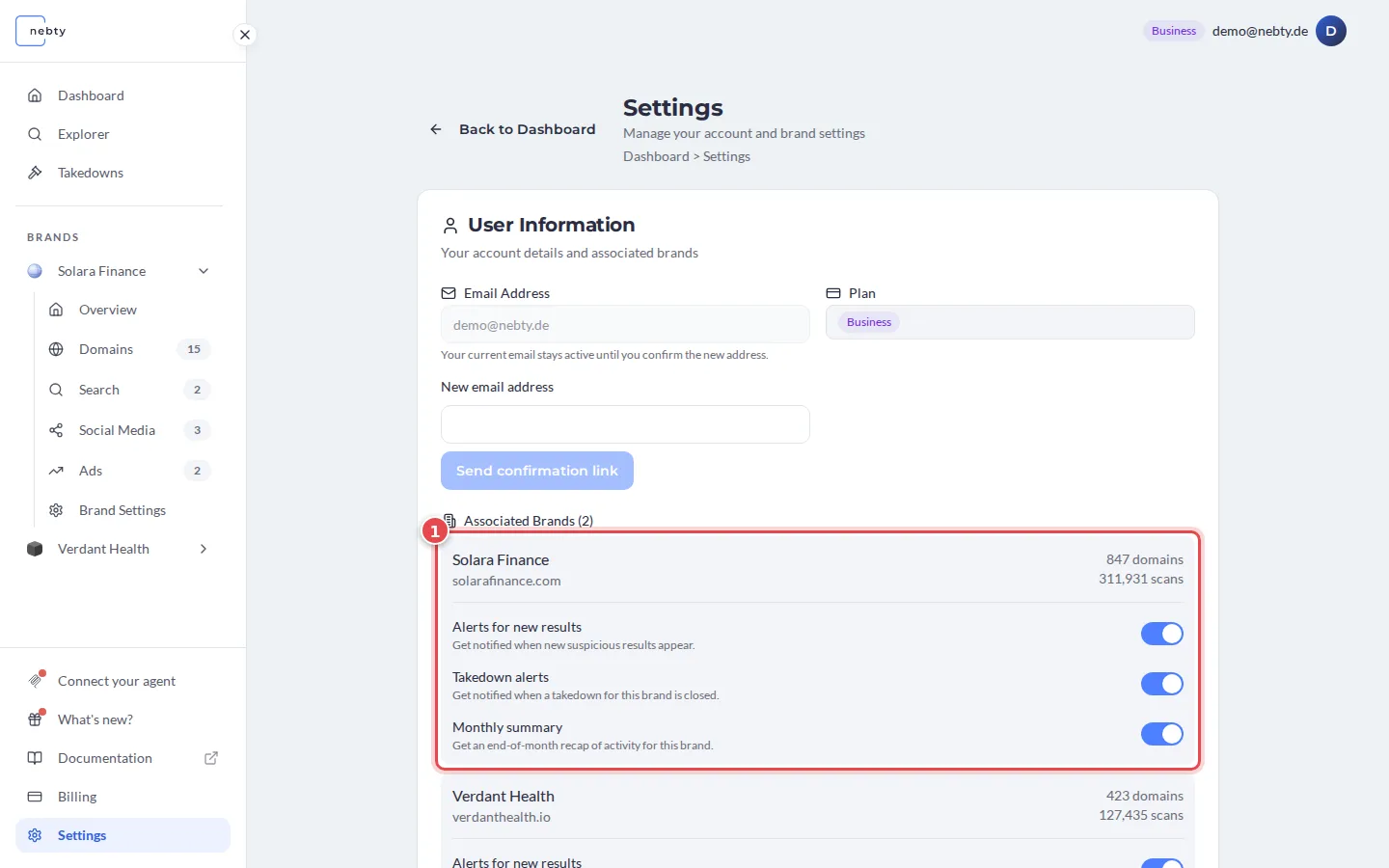
- Alerts for new results: a notification when a new suspicious finding appears for that brand, on or off.
- Takedown alerts: a notification when one of that brand’s takedown requests closes.
- Monthly summary: an end-of-month recap of that brand’s activity.
Each of these is a simple on/off toggle, set separately for each brand. There is no alert-threshold picker and no separate weekly-report option. To change how often you hear from nebty about a brand, use its alerts and monthly summary toggles above.
Language
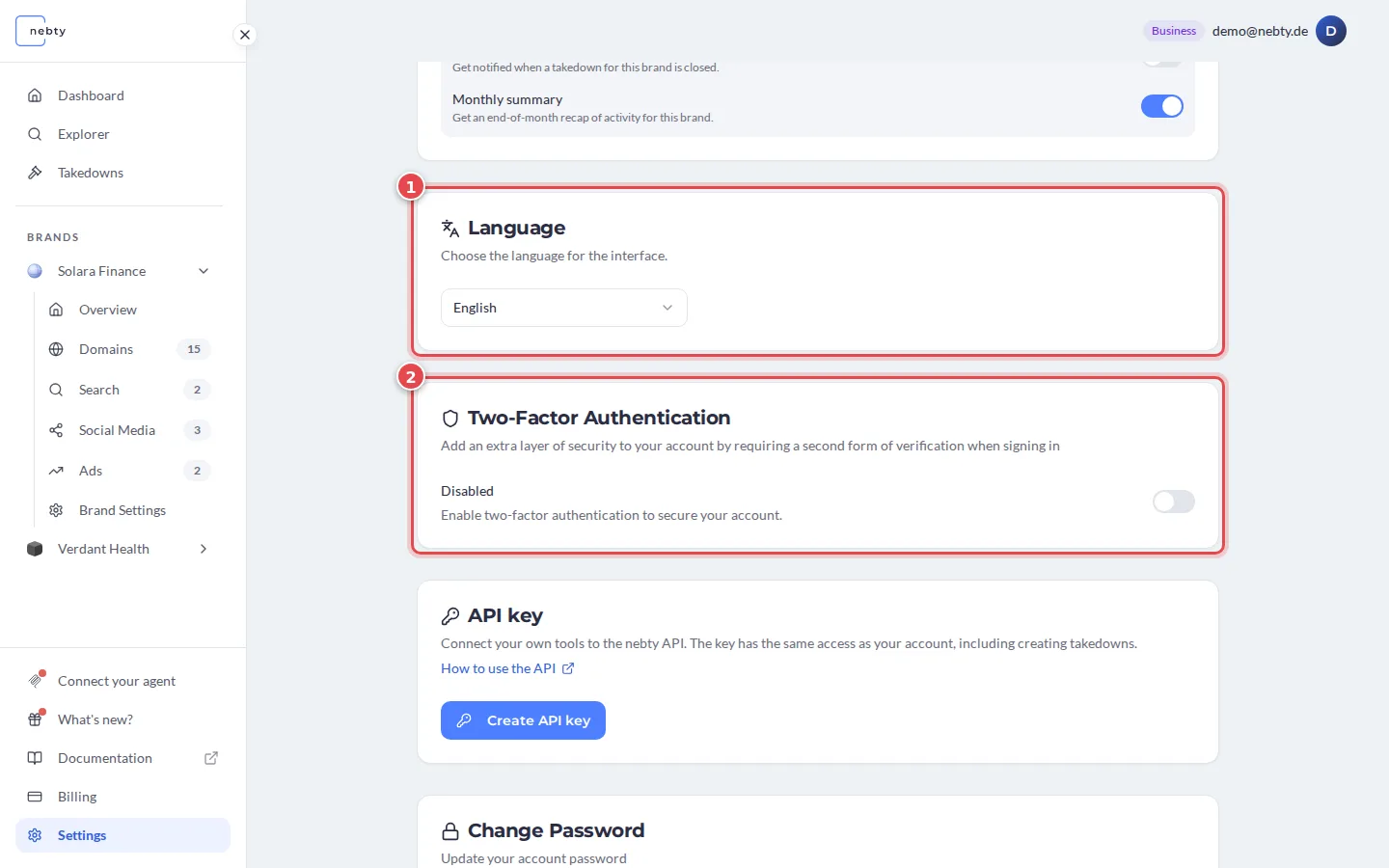
Section titled “Language”The Language card (1) lets you switch the interface between English and German. This affects the labels, buttons, and copy across the whole app, not just this page.
Security
Section titled “Security”Two cards cover your account security.
- Two-Factor Authentication (2, in the screenshot above): turn it on to add a second step to login, on top of your password, so a leaked password alone is not enough to get in.
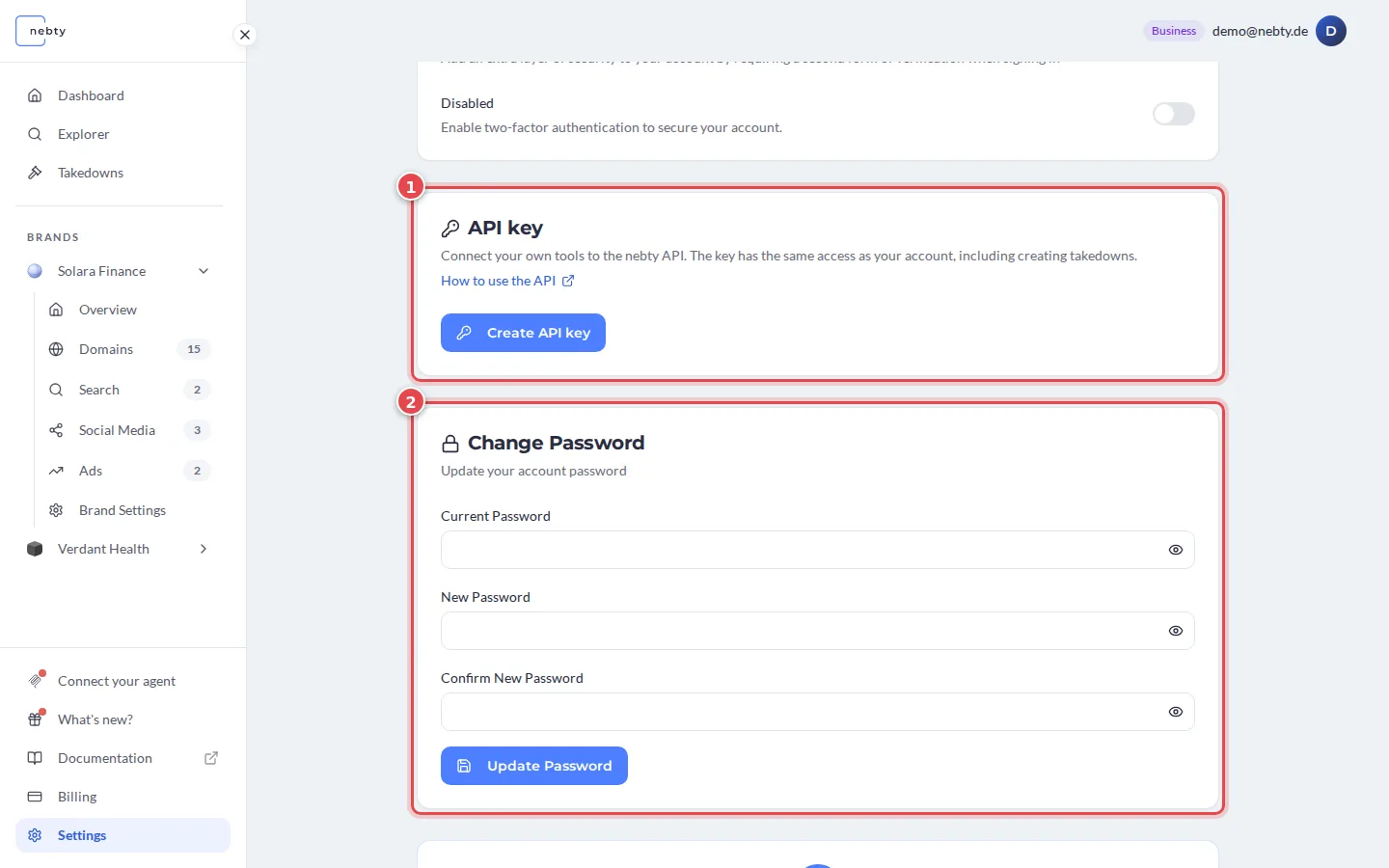
- Change Password (2, in the screenshot below): enter your Current Password, then your New Password twice, and select Update Password.
API key
Section titled “API key”The API key card (1) lets you create, replace or revoke the key that connects your own tools to the nebty API. See API access for how to create a key and what it can do.