Understand a Risk Score
By the end of this guide you will know what a Risk Score means and what to do about a finding at each level. The red numbers in the screenshots match the numbers in each step.
Before you start
Section titled “Before you start”You need a nebty account with at least one brand set up, and a finding to look at, for example a domain in Domain Monitoring. If you do not have one yet, you can follow the same steps in the public demo.
-
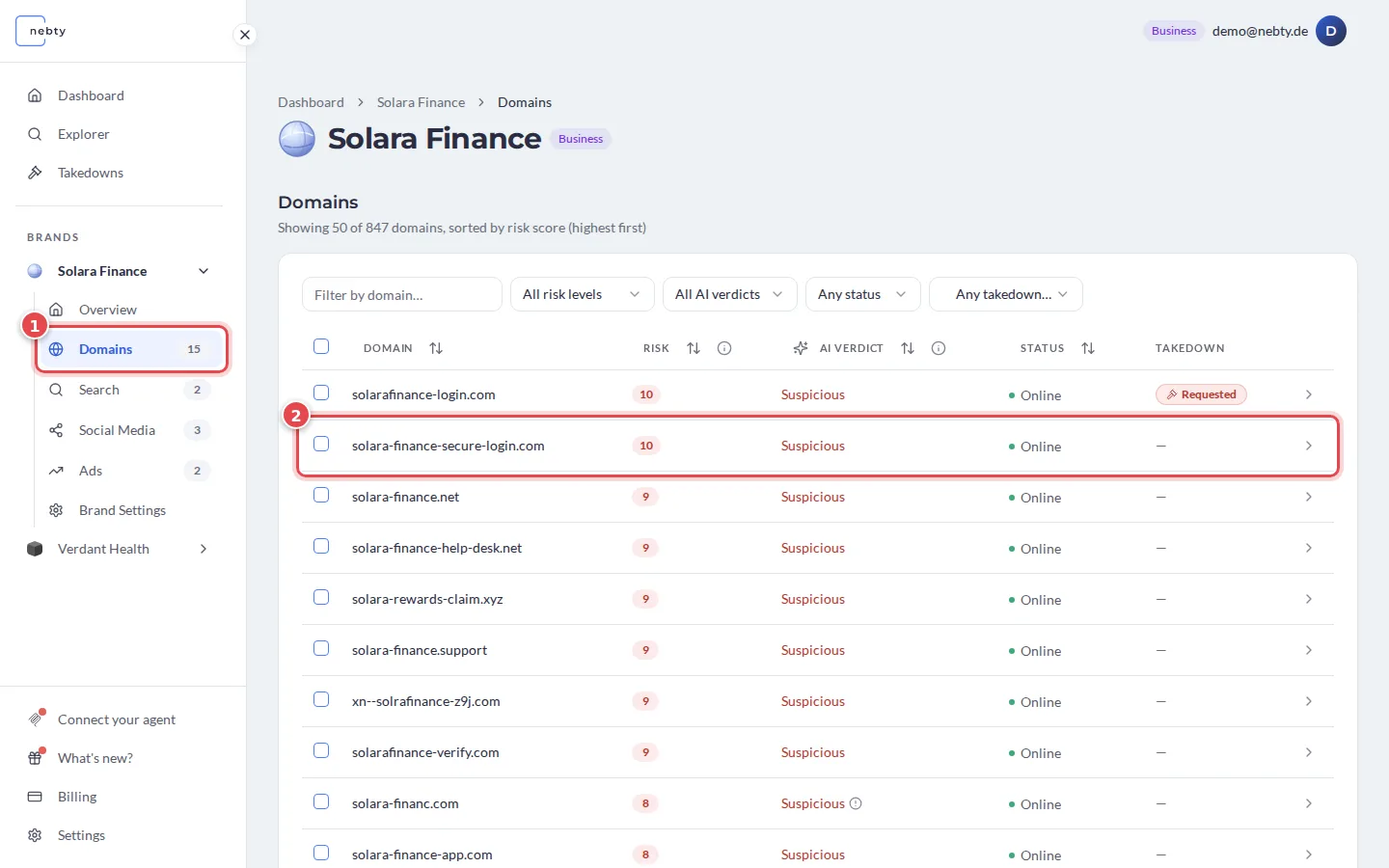
Open a finding. In the Domains tab (1) of your brand, select a domain from the table (2). The table is sorted by risk score, highest first.
-
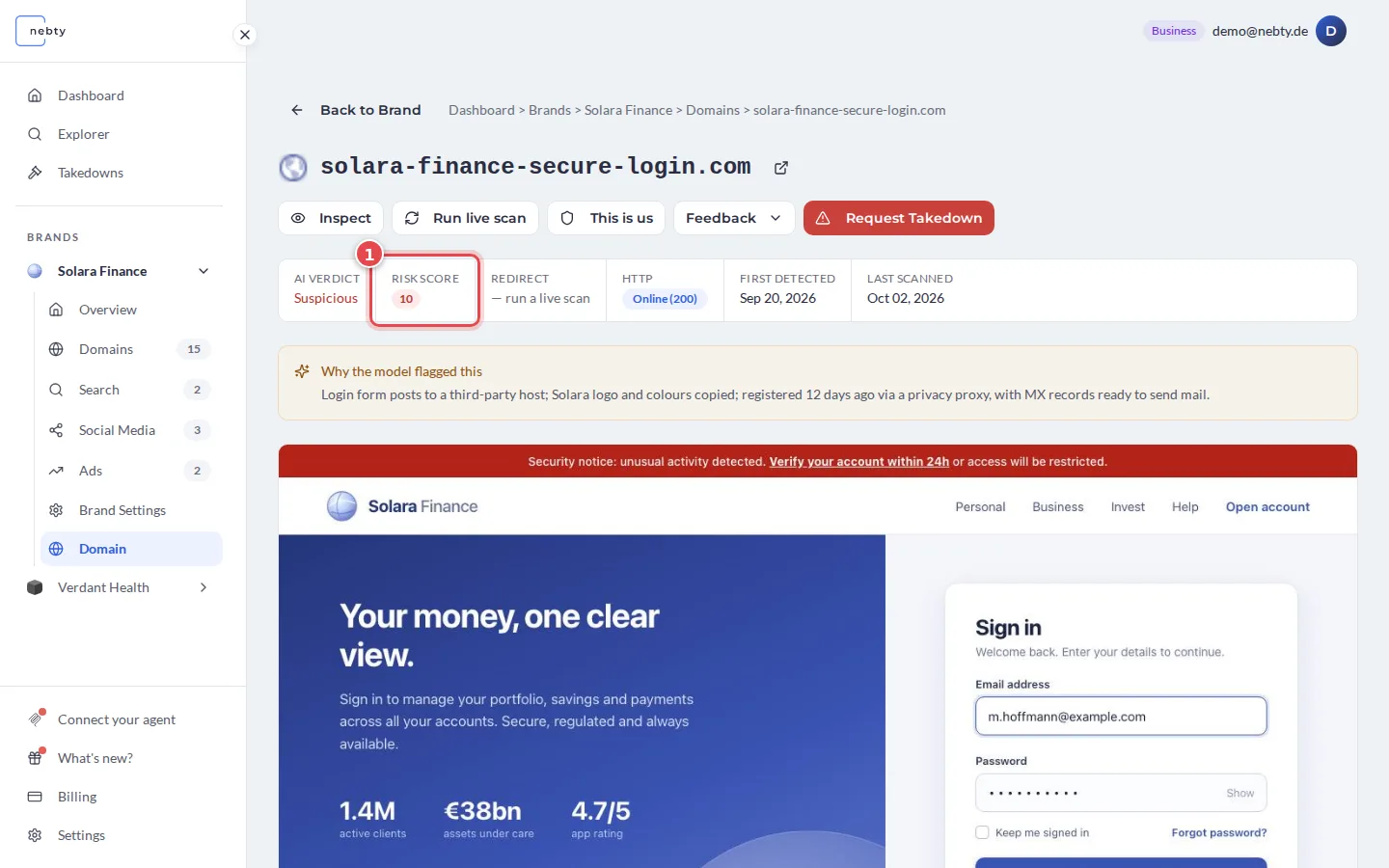
Look at the Risk Score (1). It rates the finding from 0 to 10, where higher means a greater potential threat to your brand. 0 means no risk, for example because you marked the domain as yours. How the Risk Score works explains what goes into it. The same number appears in the Risk column of the Domains table.
-
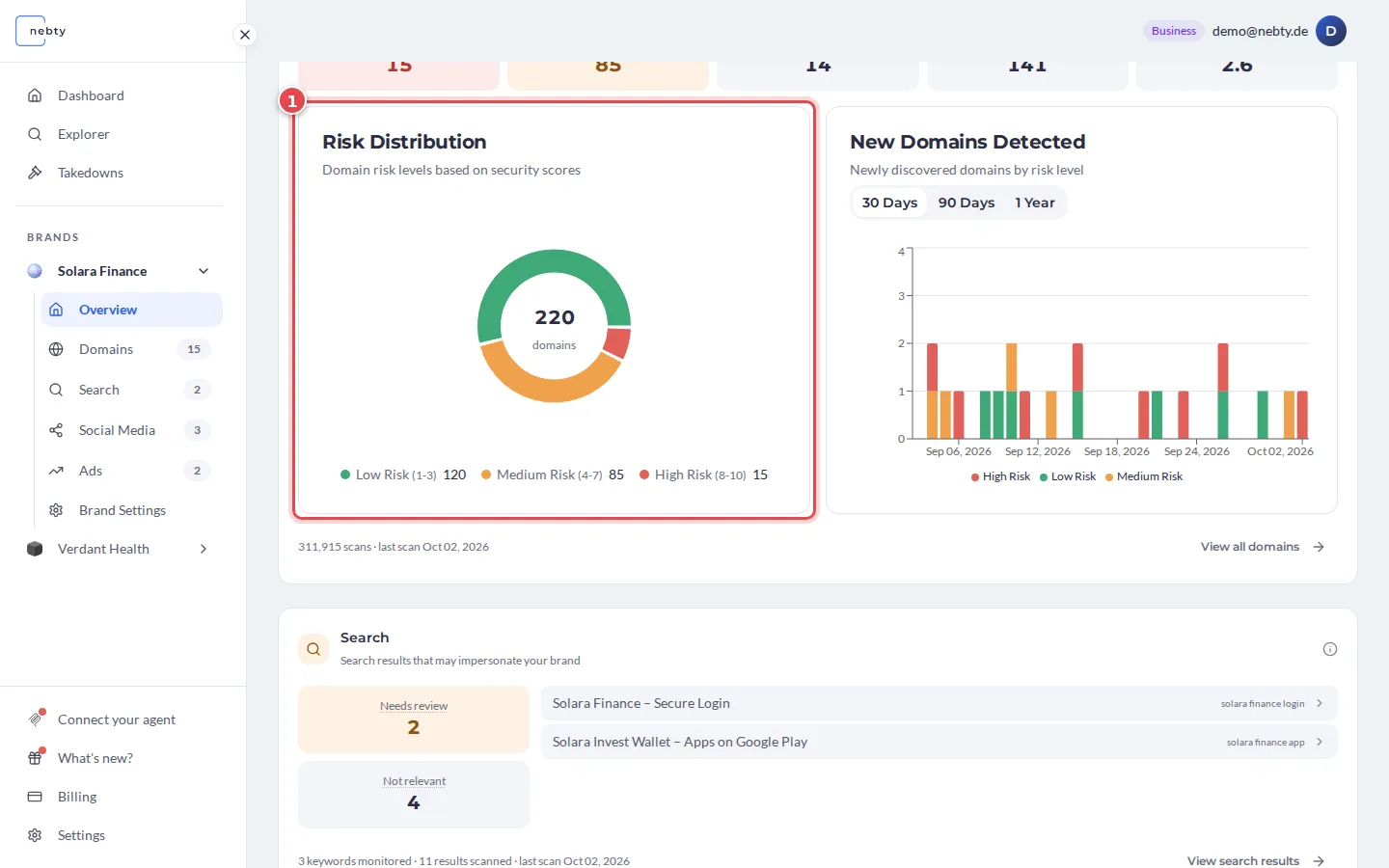
Read the band the score falls into. The Risk Distribution (1) on the brand overview groups your domains by the same bands, and the risk filter in the Domains tab offers them too:
- High (8 to 10): treat as urgent.
- Medium (4 to 7): worth a closer look.
- Low (1 to 3): likely harmless, but on the record.
-
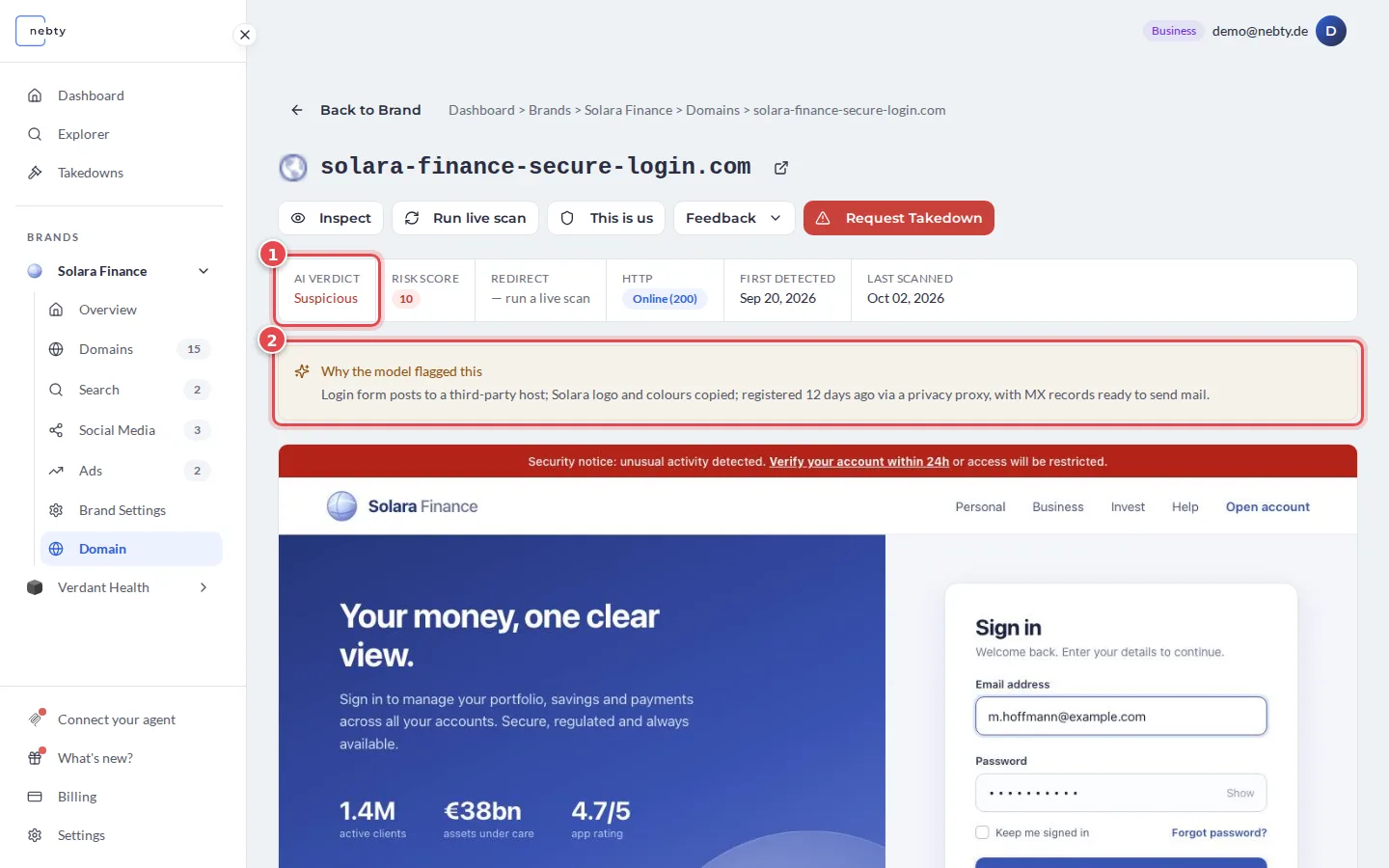
Check the AI Verdict (1) next to the score. It is one of Suspicious, Benign, or Needs Review, and tells you whether the site copies your brand’s look, sells your products under your name, or both. Why the model flagged this (2) gives the reasons in a sentence or two. In the scan history and in the verdict filter, a finding that has not been assessed yet is called Not Yet Assessed.
-
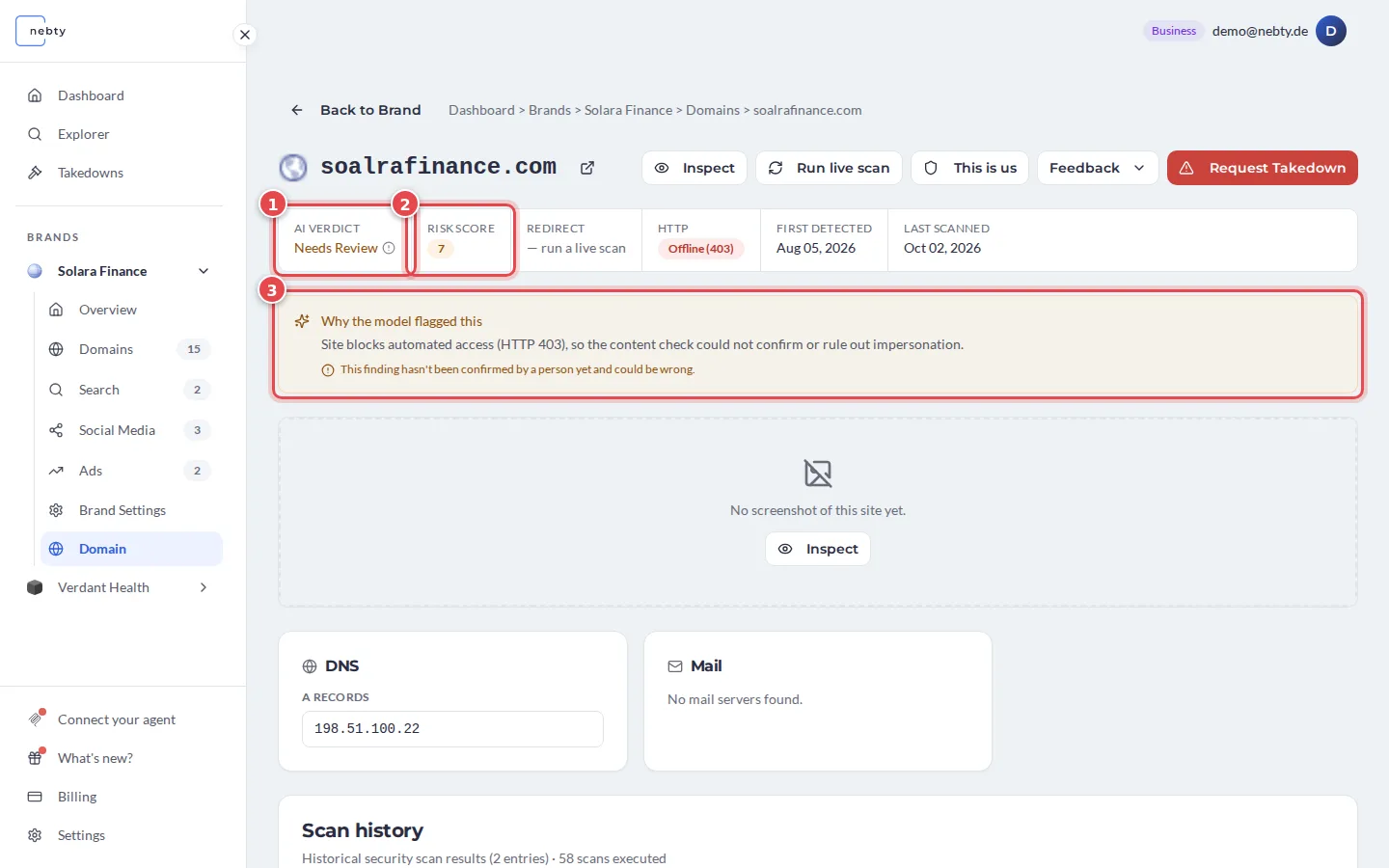
Read the two signals together. A High Risk Score paired with a Suspicious verdict is the clearest signal that you should act. A score with a Needs Review verdict still deserves a closer look, since nebty could not confirm either way. In the example, the verdict (1) is Needs Review while the score (2) is 7, and the explanation (3) says that the check could not confirm or rule out impersonation and that no person has confirmed the finding yet. A Low score with a Benign verdict is usually safe to leave as is.
-
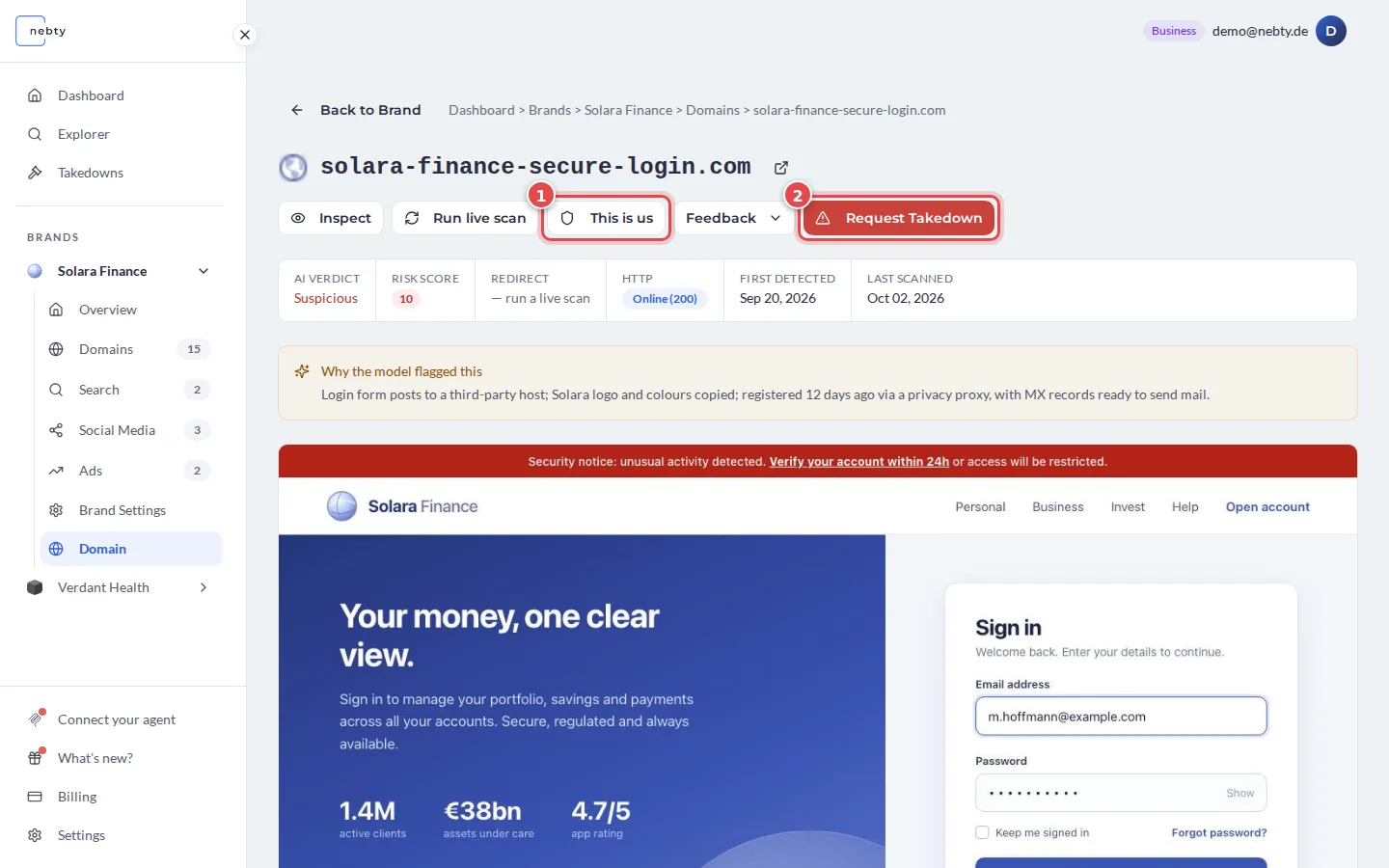
Decide what to do based on the band. The two buttons on the detail page are This is us (1) and Request Takedown (2):
- High: review the finding now and, if it is genuine impersonation, select Request Takedown on the domain’s detail page.
- Medium: review it when you get to your queue. Select This is us if the domain is legitimately yours, otherwise request a takedown once you have made a call.
- Low: no action needed. It stays on record in case its score changes later.
What happens next
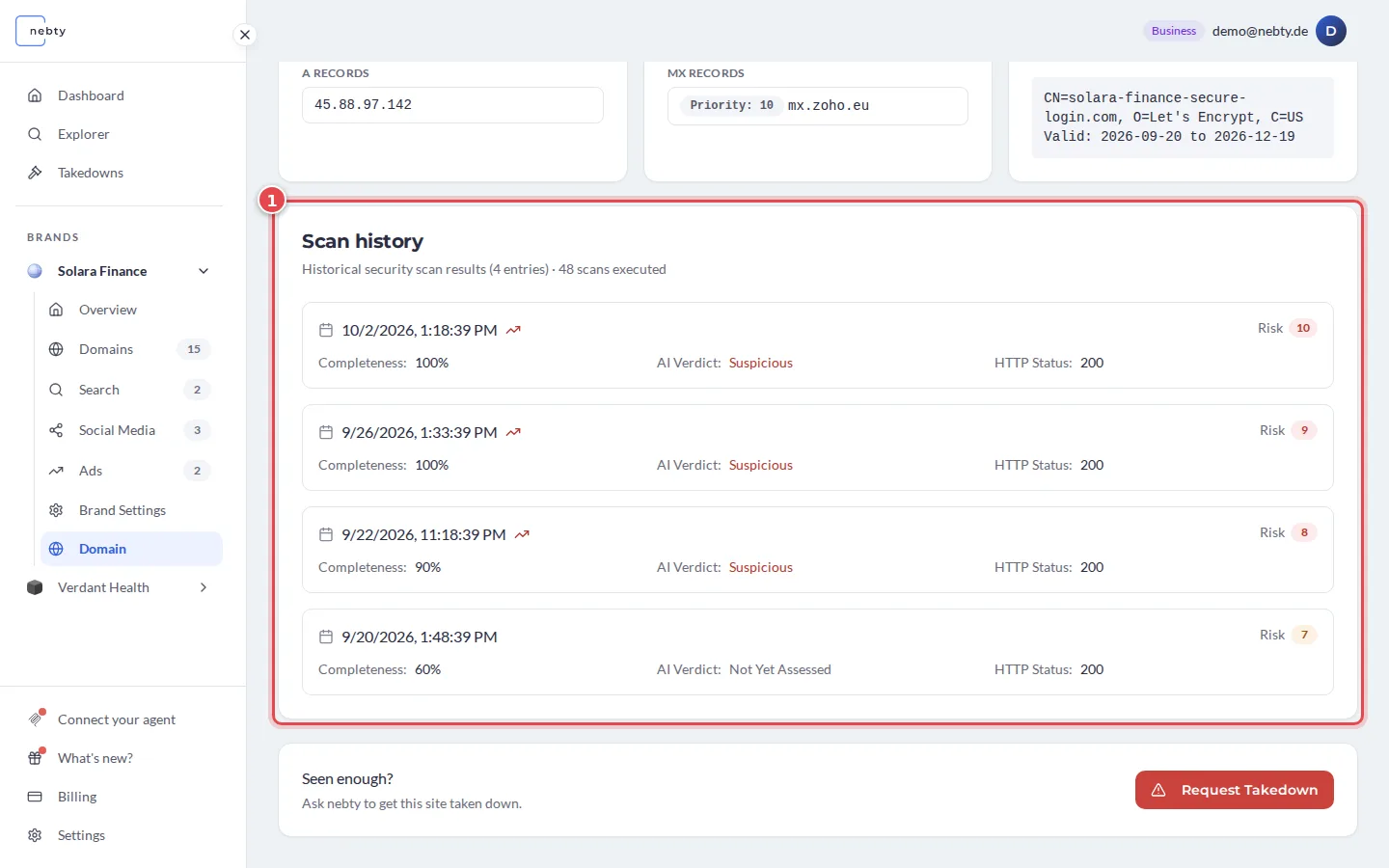
Section titled “What happens next”Risk Scores can change as nebty gathers more information about a finding, so a Medium score today is not necessarily a Medium score next week. The Scan history (1) of a domain lists its past scans with the risk and the AI verdict of each one, so you can see how a score moved. Reviewing High scores first keeps your attention on what matters most.
Try this on a live example in the demo.
Open Domain Monitoring in the demo(opens the public demo with sample data)Related: Domain Monitoring.