Takedowns
When you triage a finding as a Threat, nebty opens a Takedown and tracks it through to resolution. The Takedowns list is where you follow every case you have open, and where you go to check on one you opened earlier. The red numbers in the screenshots match the numbers in the text.
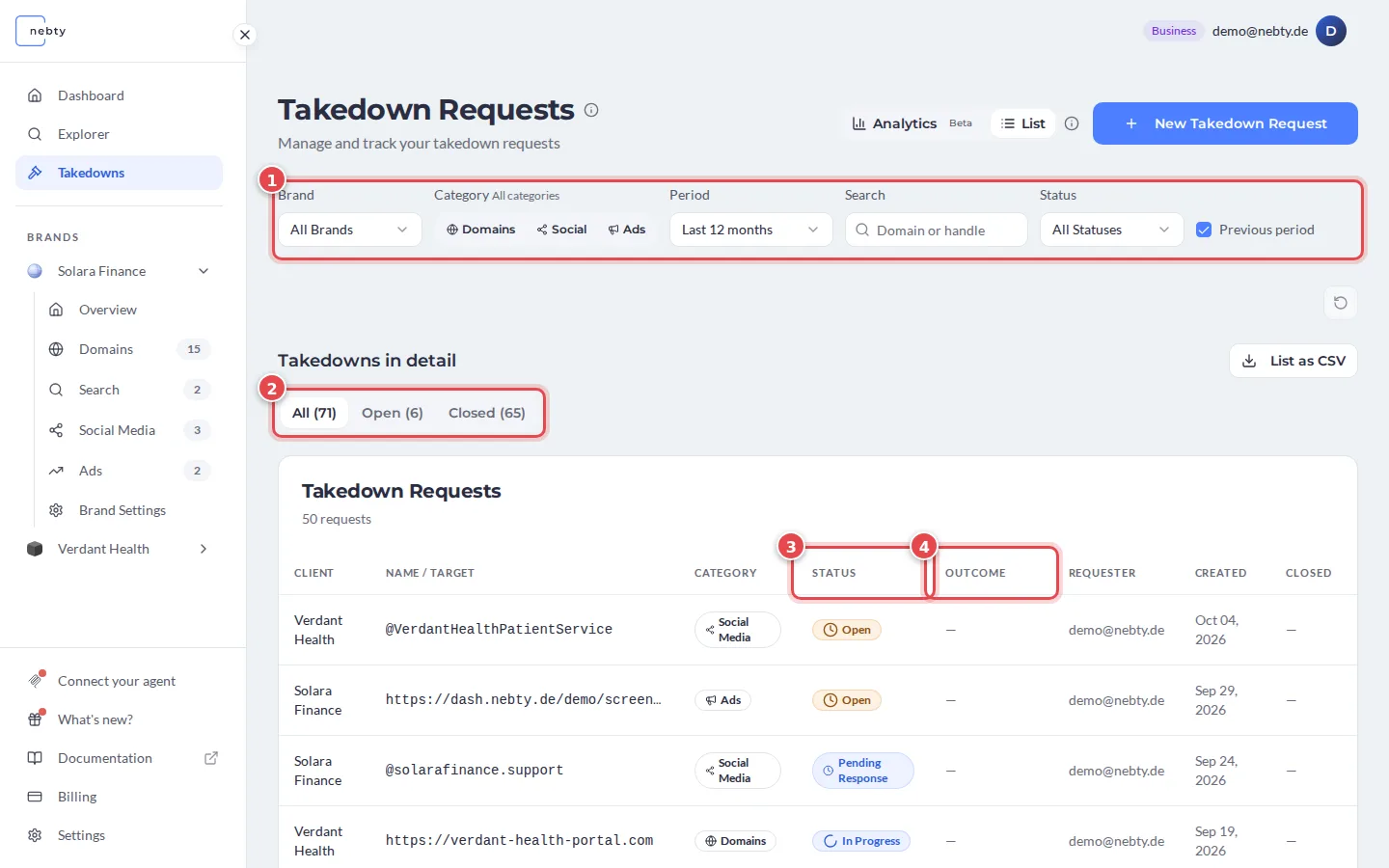
Use the filters (1) to narrow the list by brand, category, period, search term or status. The tabs (2) split the list into All, Open and Closed cases. List as CSV exports the list, and New Takedown Request opens the request form (see Request a Takedown).
Statuses
Section titled “Statuses”Every case carries one status (3), and it moves through a fairly predictable arc:
- Pending Review: the case has been opened and is waiting on the nebty team to start work.
- Open: the case has been accepted and is queued for action.
- In Progress: the takedown request has been sent and is being pursued.
- Pending Response: nebty is waiting on a reply from the registrar, host, platform, or other party.
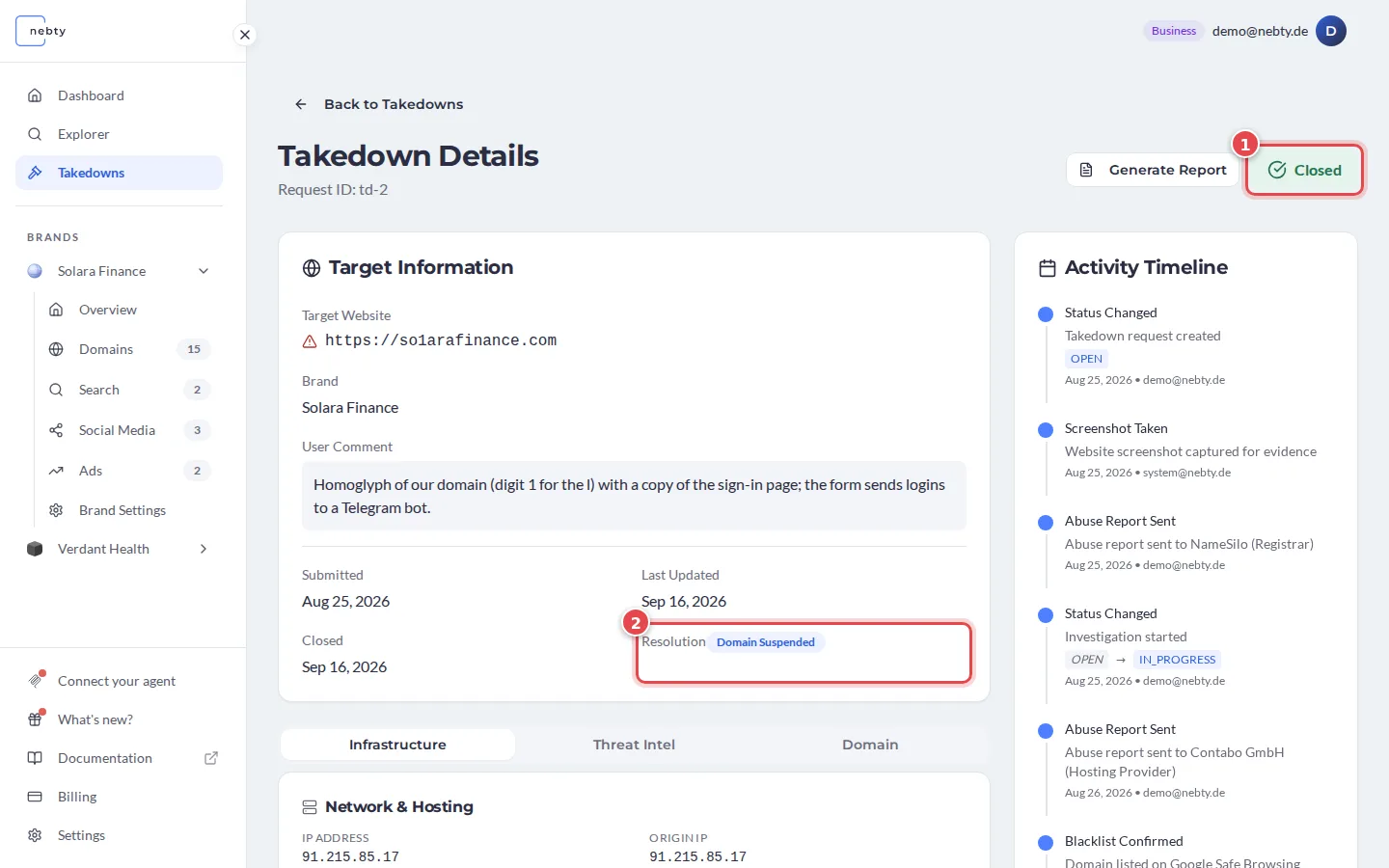
- Closed: the case is finished. Check the resolution outcome to see how it ended.
- Failed: the takedown attempt did not succeed.
- Rejected: the case was not accepted, for example because the finding did not qualify as infringing.
Resolution outcomes
Section titled “Resolution outcomes”When a case reaches Closed, it carries a resolution outcome that tells you how it ended. The list shows it in the Outcome column (4). Inside the case it is called Resolution.
- Domain Suspended: the registrar or host suspended the domain.
- Content Removed: the infringing content was taken down while the domain or account stayed live.
- Voluntary Takedown: the operator removed the content or domain themselves.
- Unresolved: the case was closed without the infringement being removed.
- No Infringement: the review found no infringement.
Social profiles and ads can end with their own outcomes, such as Account Suspended, Ad Removed, Voluntarily Removed or Rejected by Platform.
A closed case shows the status Closed (1) at the top right and its Resolution (2) in the Target Information card.
Inside a case
Section titled “Inside a case”Open any case to see the detail behind its status.
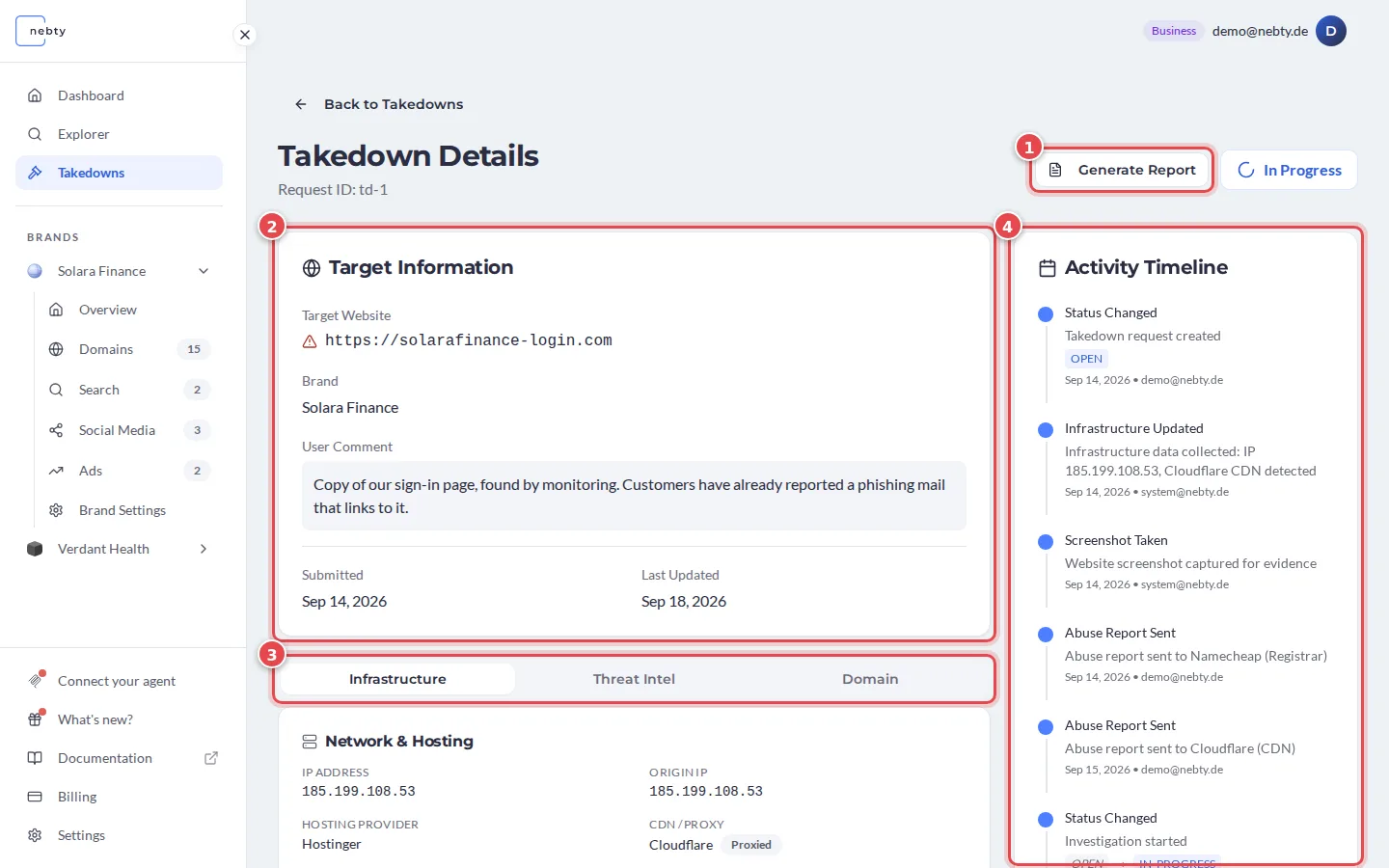
Target Information (2). The target website, the brand, your comment, and when the case was submitted and last updated. The tabs (3) below it, Infrastructure, Threat Intel and Domain, hold the technical detail: hosting, DNS and SSL records, a screenshot, and the registrar.
Activity Timeline (4). Every case keeps a running timeline of what has happened: when it was opened, when a request went out, replies received, and status changes. It is the fastest way to see what stage a case is at without asking anyone.
Generate Report (1). Any case can be exported as a report, a clean summary of the finding and the case’s progress that you can share outside nebty, for example with a lawyer or a partner.
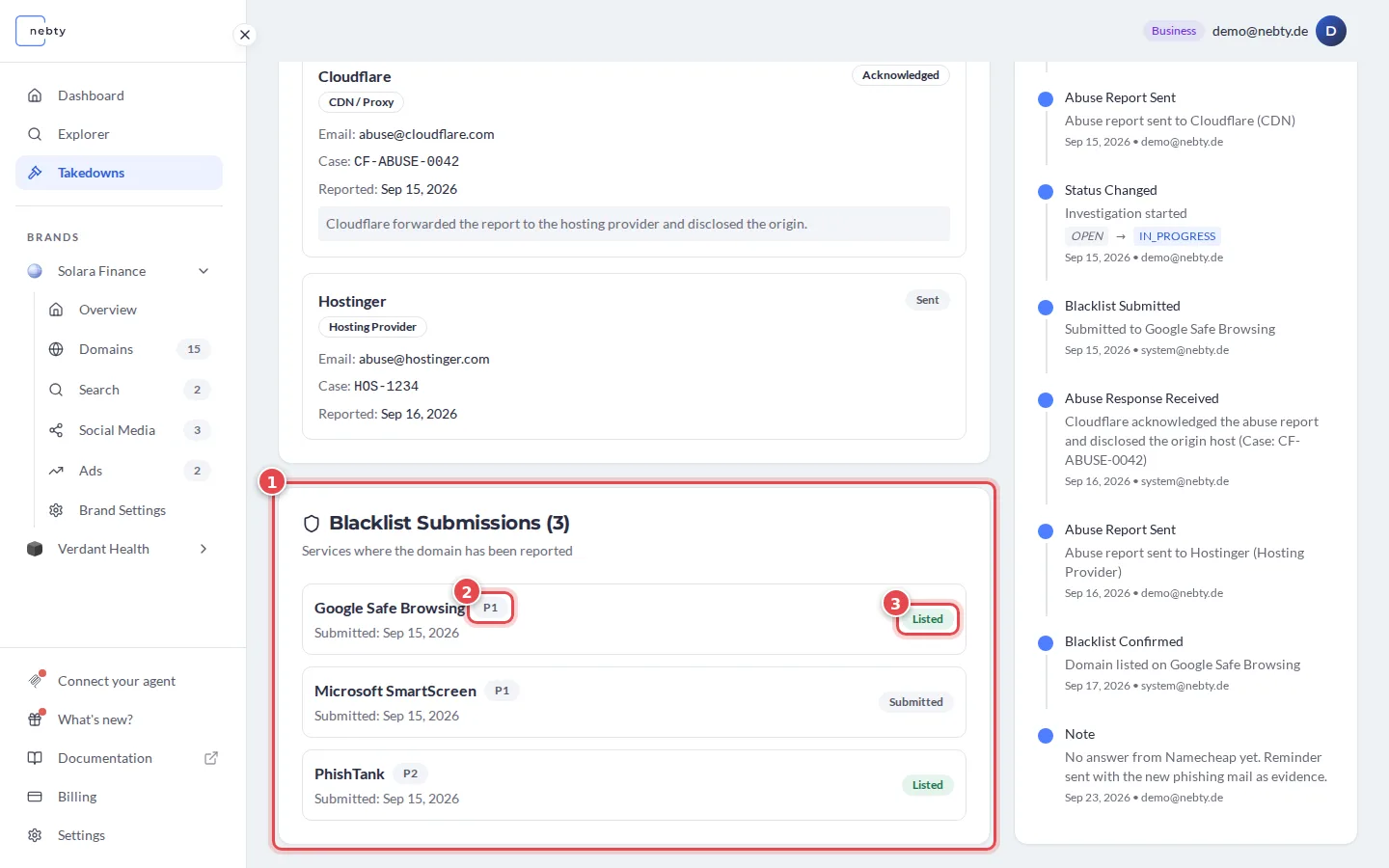
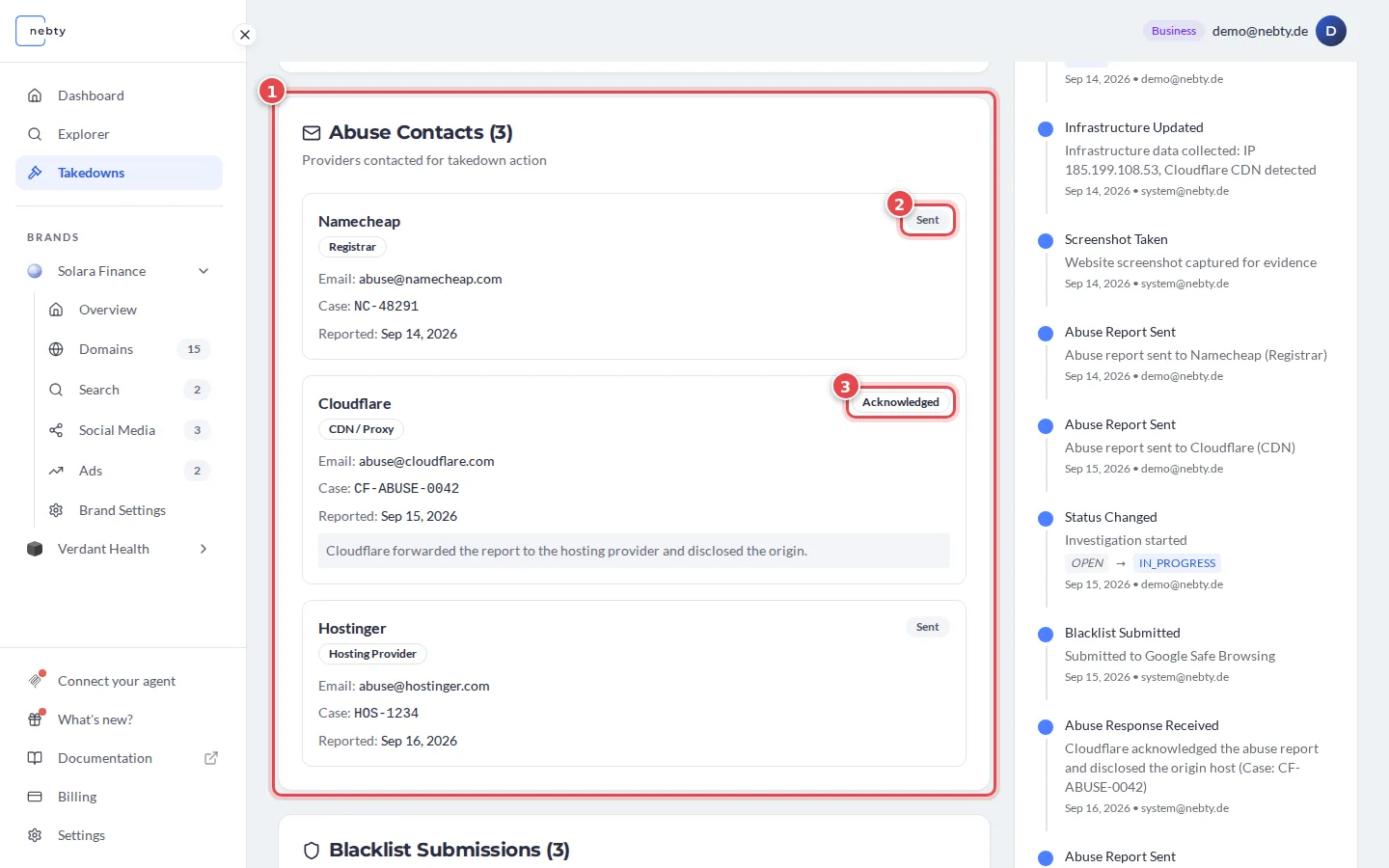
Abuse Contacts. These are the registrar, host, CDN, or registry contacts nebty is using to report the domain (1). Each one shows its report status (2, 3), from Not Sent through to Action Taken. The nebty team identifies and files the Abuse Contacts; you view their status here, you do not fill them in.
Blacklist Submissions. For domain takedowns, nebty can also submit the domain to blocklists (1). Each submission is tiered P1, P2, or P3 (2) and carries its own status (3): Pending, Submitted, Listed, or Rejected. As with the Abuse Contacts, the nebty team authors and files the submission; you view it, you do not create it.