Ads
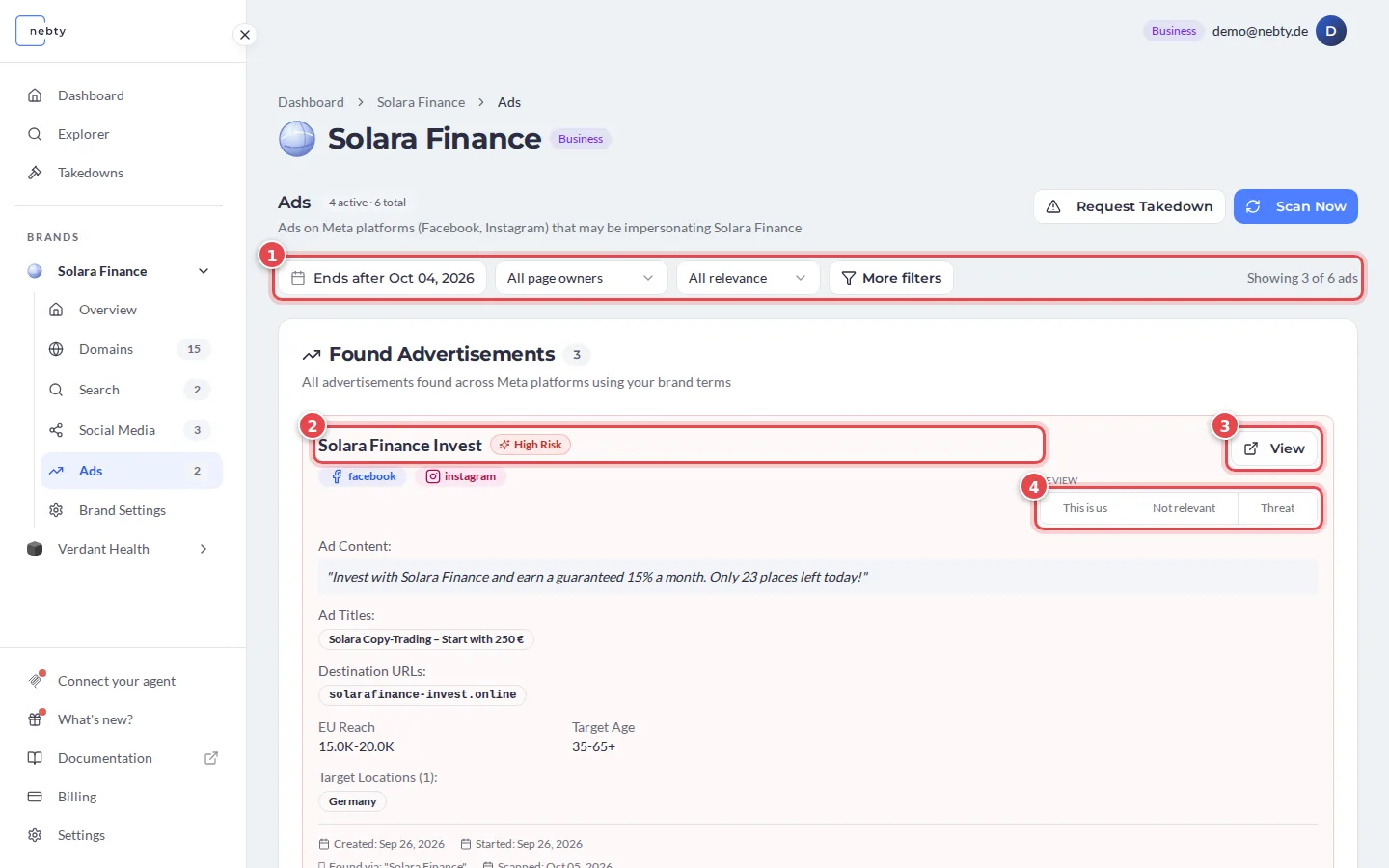
Ads monitors the Meta Ad Library for adverts that misuse your brand, such as fake promotions or scam campaigns run in your name on Facebook or Instagram. You find it as the Ads tab on a brand’s page. The red numbers in the screenshots match the numbers in the text.
What you see
Section titled “What you see”Each ad nebty finds is shown as a card. At the top of the tab, a counter shows how many ads are active and how many nebty found in total.
The top of each card shows:
- Advertiser and risk badge (2): the Facebook or Instagram page that placed the ad, and nebty’s AI read on how likely the ad is to involve your brand, for example High Risk. A Your page label marks a page you have confirmed as yours.
- The platforms the ad runs on, for example Facebook and Instagram.
- View (3): opens the original ad.
- Review (4): the buttons you use to triage the ad. The Reviewing section below covers what each one does.
Use the filters (1) to narrow the list by campaign end date, page owner and relevance. By default, the list leaves out older ads that have already ended. The counter on the right, for example “Showing 3 of 6 ads”, shows how many ads you see. Change the first filter to see older ads.
Scan Now at the top of the tab queues a new scan. Only admin users can start one.
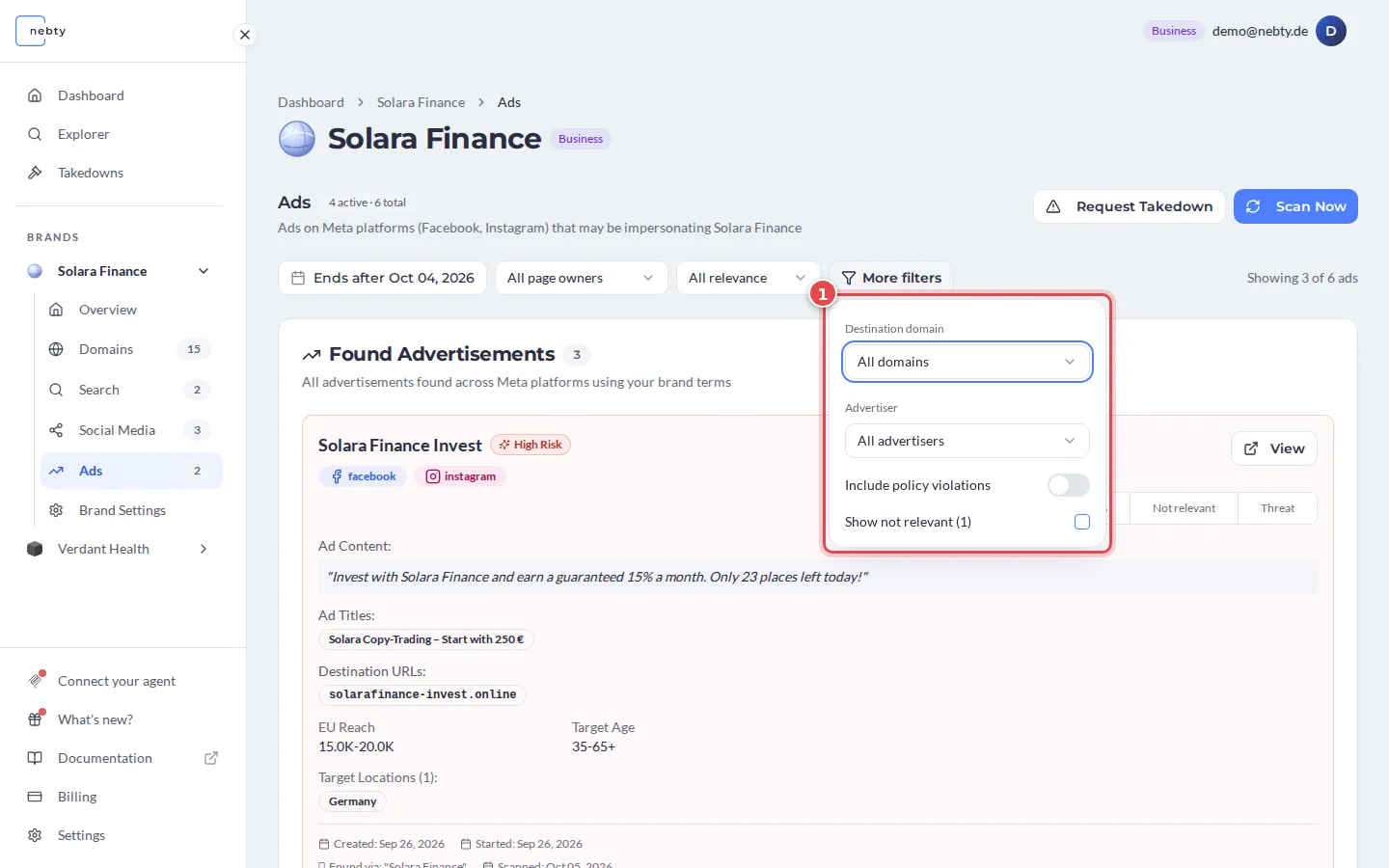
More filters (1) opens a panel. You can filter by destination domain and by advertiser. Include policy violations adds ads that Meta flagged for policy violations. Show not relevant brings back the ads you have hidden.
Below the top of the card, the details of the ad follow:
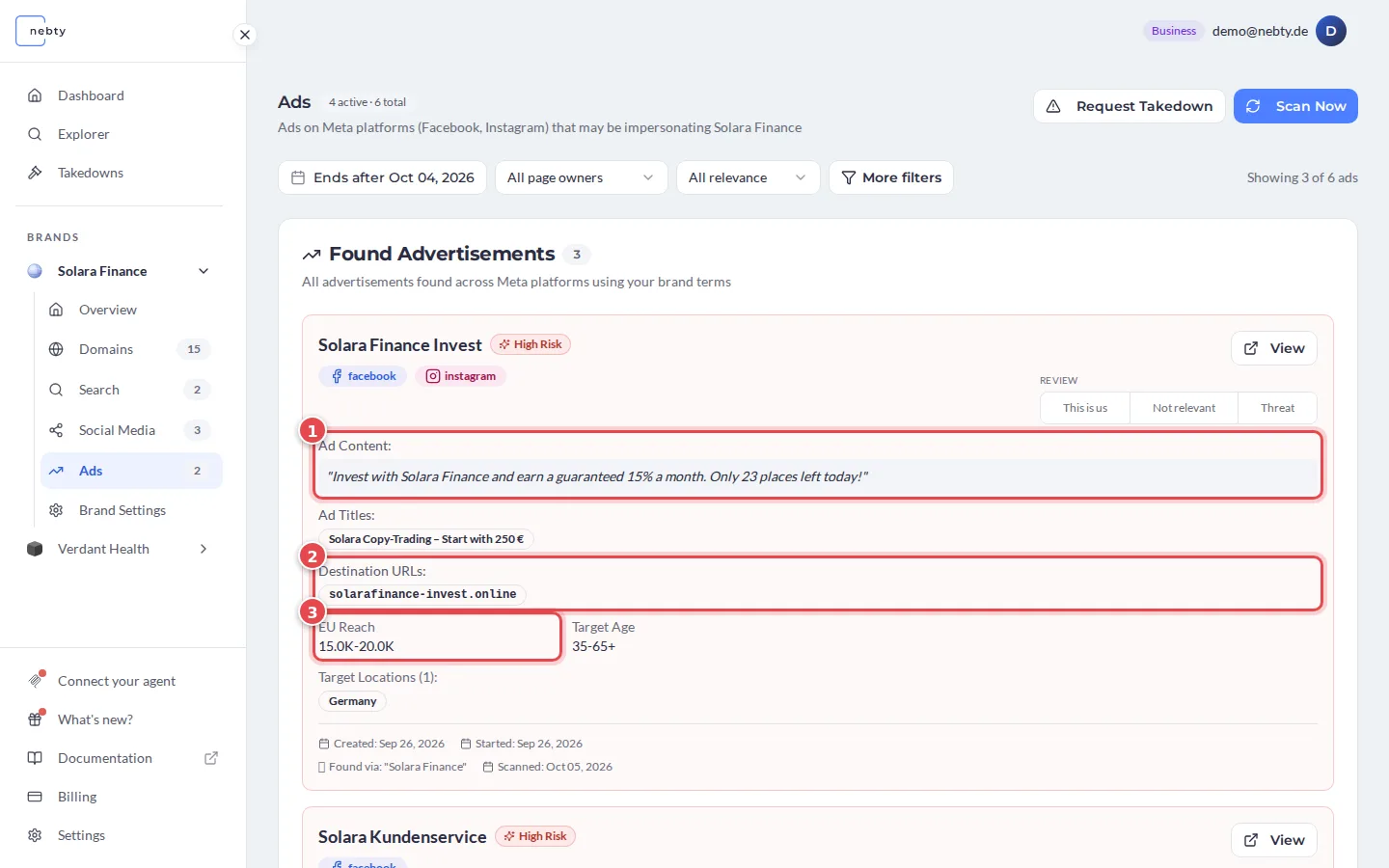
- Ad Content (1): the text of the advert.
- Destination URLs (2): the sites the ad sends people to. A look-alike domain here is a strong signal.
- EU Reach (3): an indication of how many people in the EU the ad has reached.
- Ad Titles, Target Age and Target Locations: how the ad is aimed.
- The dates the ad was created, started and ended, the term it was found via, and when nebty scanned it.
Reviewing
Section titled “Reviewing”Review each ad the same way you review any other finding. Read the risk badge together with the ad content and the advertiser, then triage it with This is us, Not relevant or Threat (4, in the first screenshot).
- This is us: the page is genuinely yours. All its ads are excluded from threat alerts.
- Not relevant: the ad has nothing to do with your brand. nebty hides it. To see it again, turn on Show not relevant under More filters.
- Threat: the ad is impersonating you. This is the starting point for a Takedown.