Respond to a high-risk alert
This guide shows you how to act quickly when nebty emails you about a high-risk finding. The red numbers in the screenshots match the numbers in each step.
Alert emails link each flagged domain straight to its detail view in the dashboard, so you can go from your inbox to a decision in a couple of clicks instead of searching for the finding yourself.
Before you start
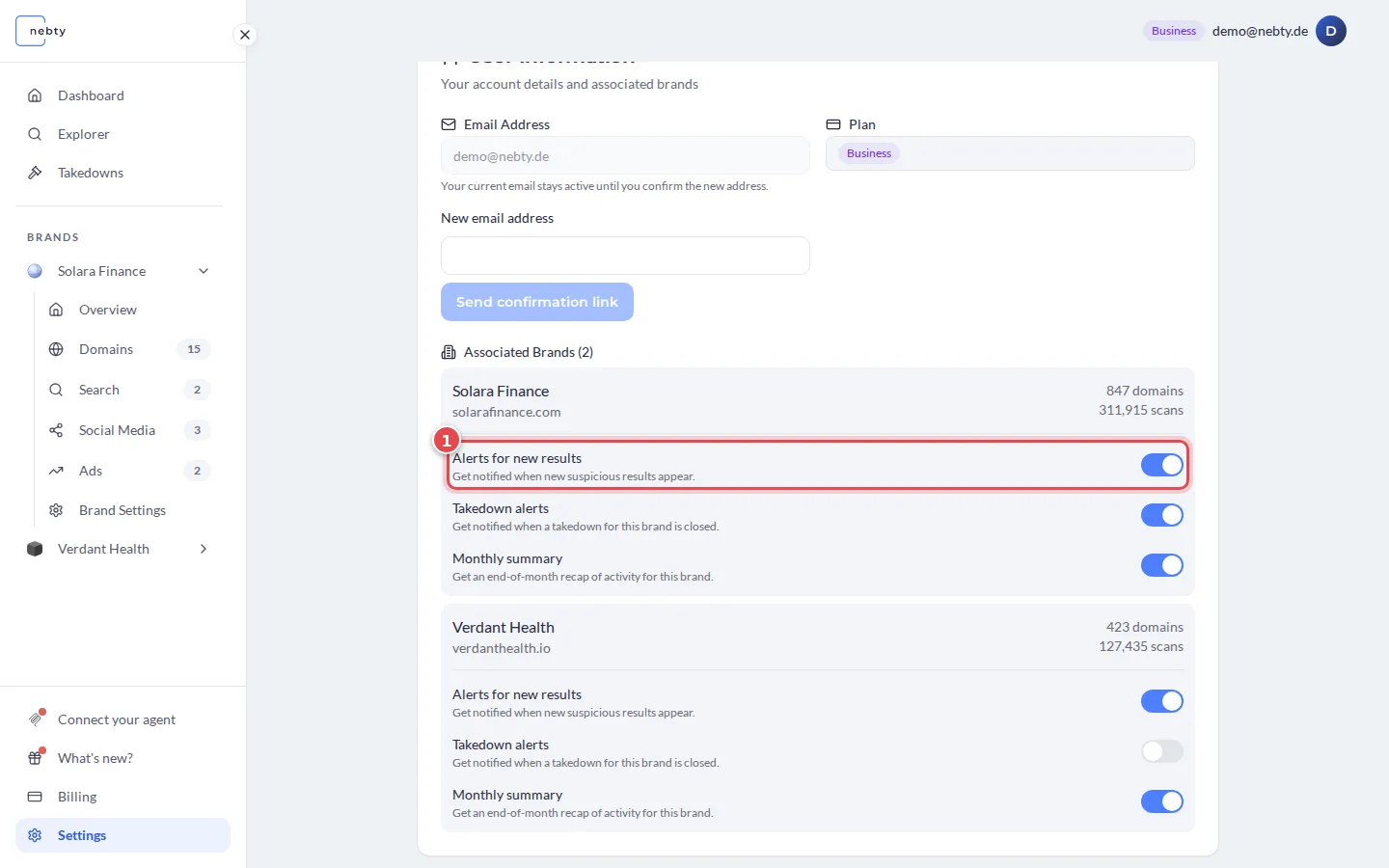
Section titled “Before you start”You need a nebty account with at least one brand under monitoring, and the Alerts for new results toggle turned on for that brand under Settings. A finding to look at helps too, ideally a high-risk one, but the same steps work for any domain finding.
-
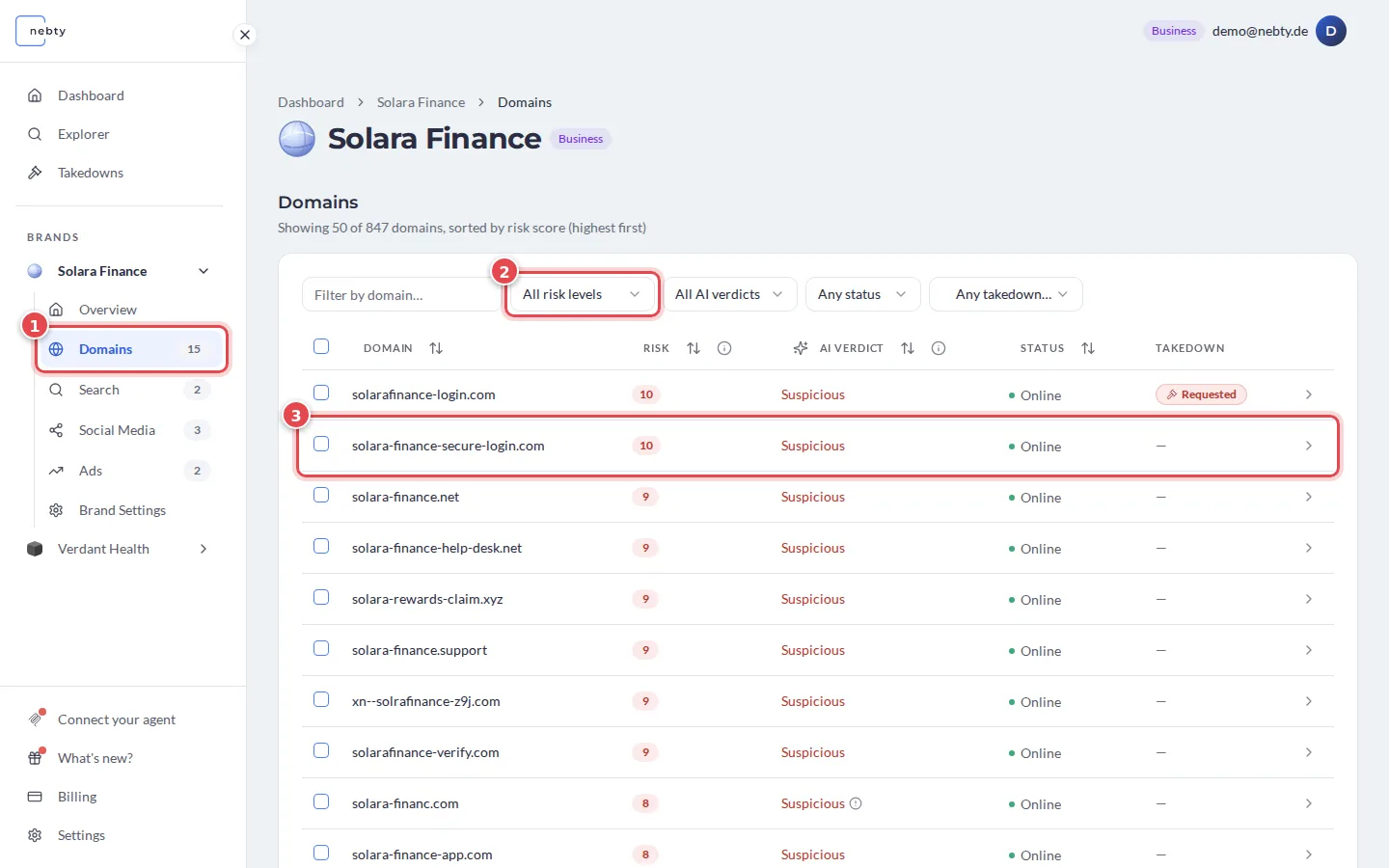
Open the finding. Follow the link in the alert email. Every domain named in the email links directly to that domain’s detail view in the dashboard, so you land on the finding itself. Without the email at hand, open Domains (1) for the brand. The list is sorted by risk score, highest first. Use the risk filter (2) to show only High (8-10), then select the domain (3).
-
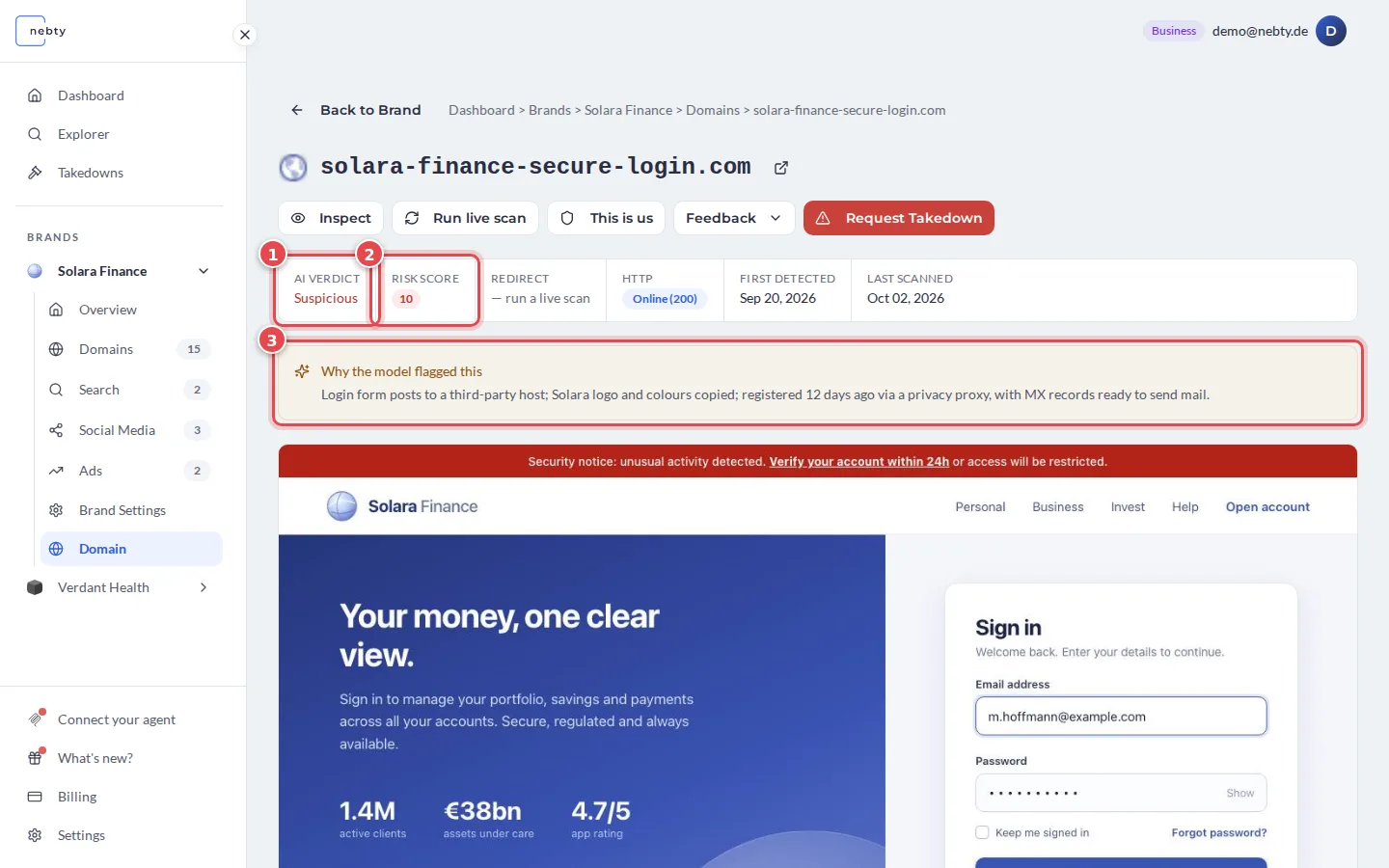
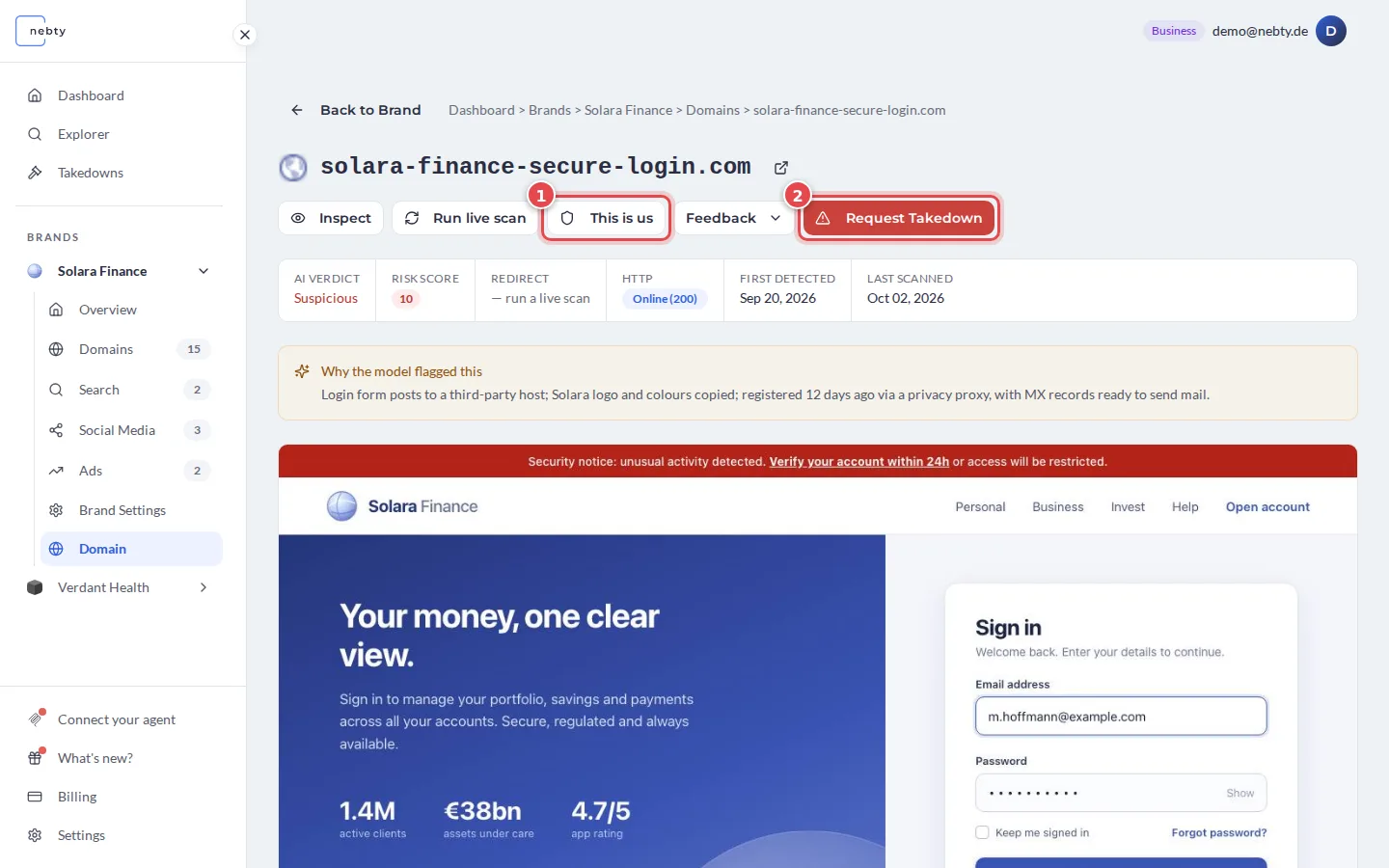
Read the Risk Score and the AI Verdict. On the detail page, the AI Verdict (1) is Suspicious, Benign or Needs Review. The Risk Score (2) runs from 0 to 10: Low (1 to 3), Medium (4 to 7), High (8 to 10), and 0 for no risk. Why the model flagged this (3) gives the reasons in a sentence or two. A High Risk Score paired with a Suspicious verdict is the clearest sign that this finding needs a decision now, not later.
-
Decide on the finding. If it is your own domain, select This is us (1) so nebty stops flagging it. If it is genuine impersonation, select Request Takedown (2) to open a case.
What happens next
Section titled “What happens next”If you mark the finding This is us, nebty stops flagging it. If you request a takedown, a case opens that you can follow from the Takedowns area, how long it takes to close depends on the registrar, host, or platform involved, so there is no fixed timeline to expect.
Today, you control whether nebty notifies you about new findings through the Alerts for new results toggle (1) in Settings, on or off, separately for each brand. This page does not offer a severity selector. Alert delivery also considers the configured risk threshold and can group multiple findings; not every new finding produces a separate email. Use the Risk Score to prioritize what to review.
Related: Dashboard, Request a takedown.
Open a domain detail view in the demo(opens the public demo with sample data)