Social Media
Social Media finds impersonation profiles on Instagram, LinkedIn, Facebook, and TikTok by searching for your brand keywords across each network. It lives on the Social Media tab of your brand, alongside Domain Monitoring, Search, and Ads. The red numbers in the screenshots match the numbers in the text.
Impersonation profiles
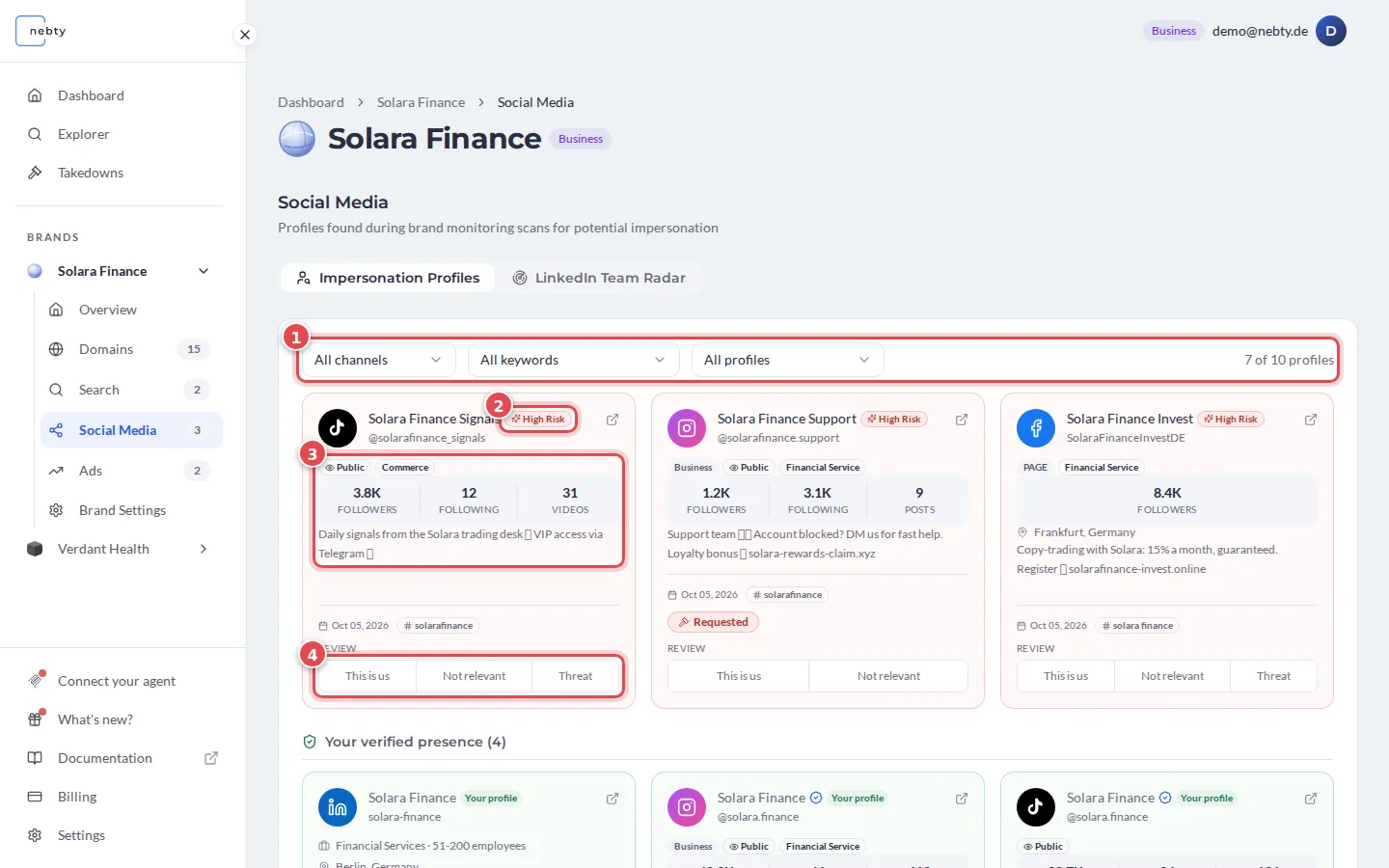
Section titled “Impersonation profiles”The tab Impersonation Profiles shows matching profiles as a grid of cards, one per profile. Use the filters (1) to narrow the grid by channel, keyword and review status. The counter on the right shows how many profiles you see.
Each card shows:
- Network: the Instagram, LinkedIn, Facebook or TikTok icon next to the profile name.
- Risk badge (2): nebty’s AI read on how closely the profile relates to your brand, for example High Risk.
- Followers and bio (3): how large the profile’s audience is and how the profile describes itself.
- Review (4): the buttons you use to triage the profile. The Reviewing section below covers what each one does.
A Requested label on a card means a takedown has already been requested for that profile.
Your verified presence
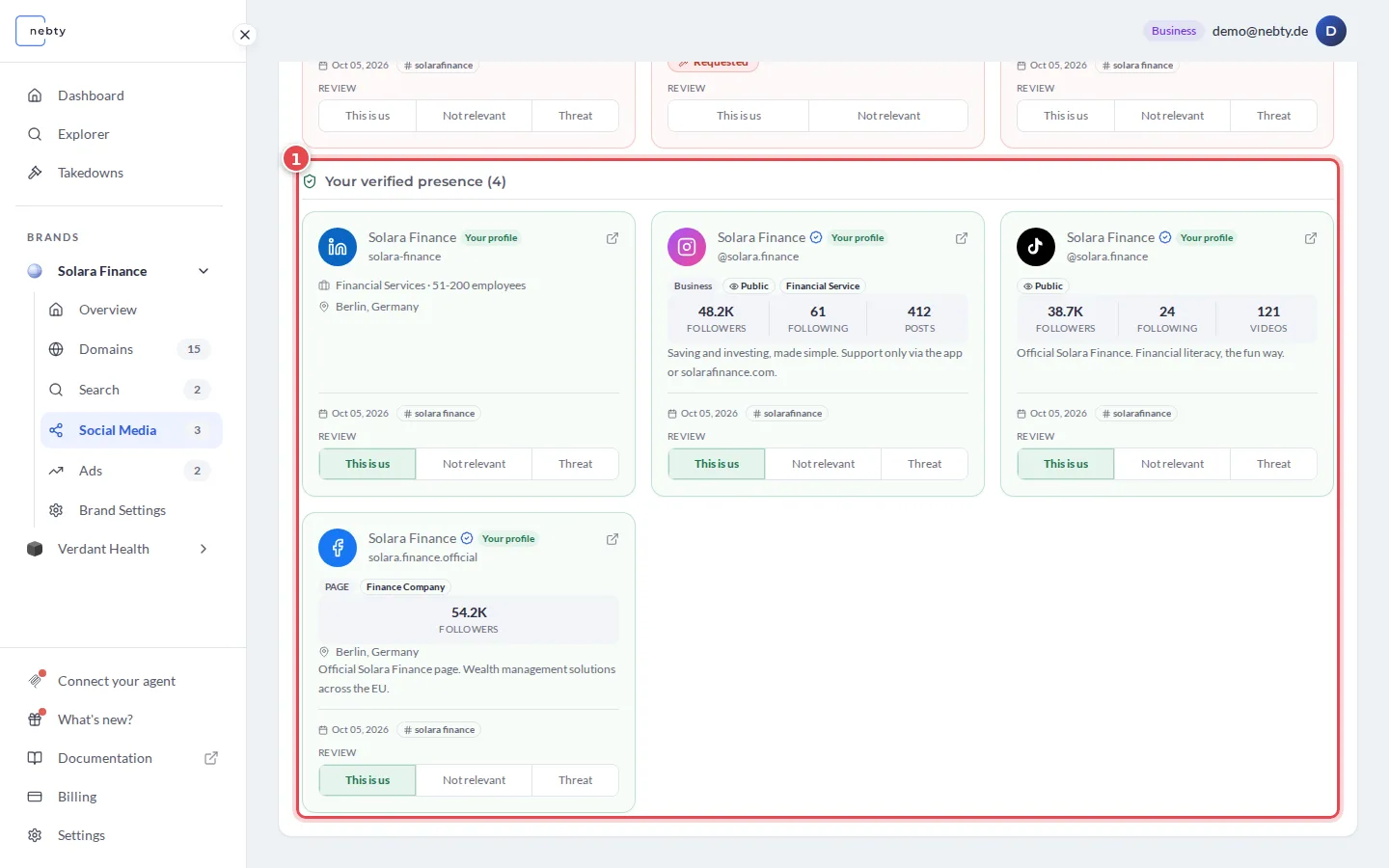
Section titled “Your verified presence”Profiles that belong to you are not shown in the grid. They move to Your verified presence (1), below the grid, when you mark them with This is us. They are excluded from threat alerts.
LinkedIn Team Radar
Section titled “LinkedIn Team Radar”A second tab, LinkedIn Team Radar (1), tracks profiles that claim to work at your company. This catches fake employees used to add credibility to a scam, or real former employees whose profiles still trade on your brand’s name. Each card shows when nebty first saw the profile.
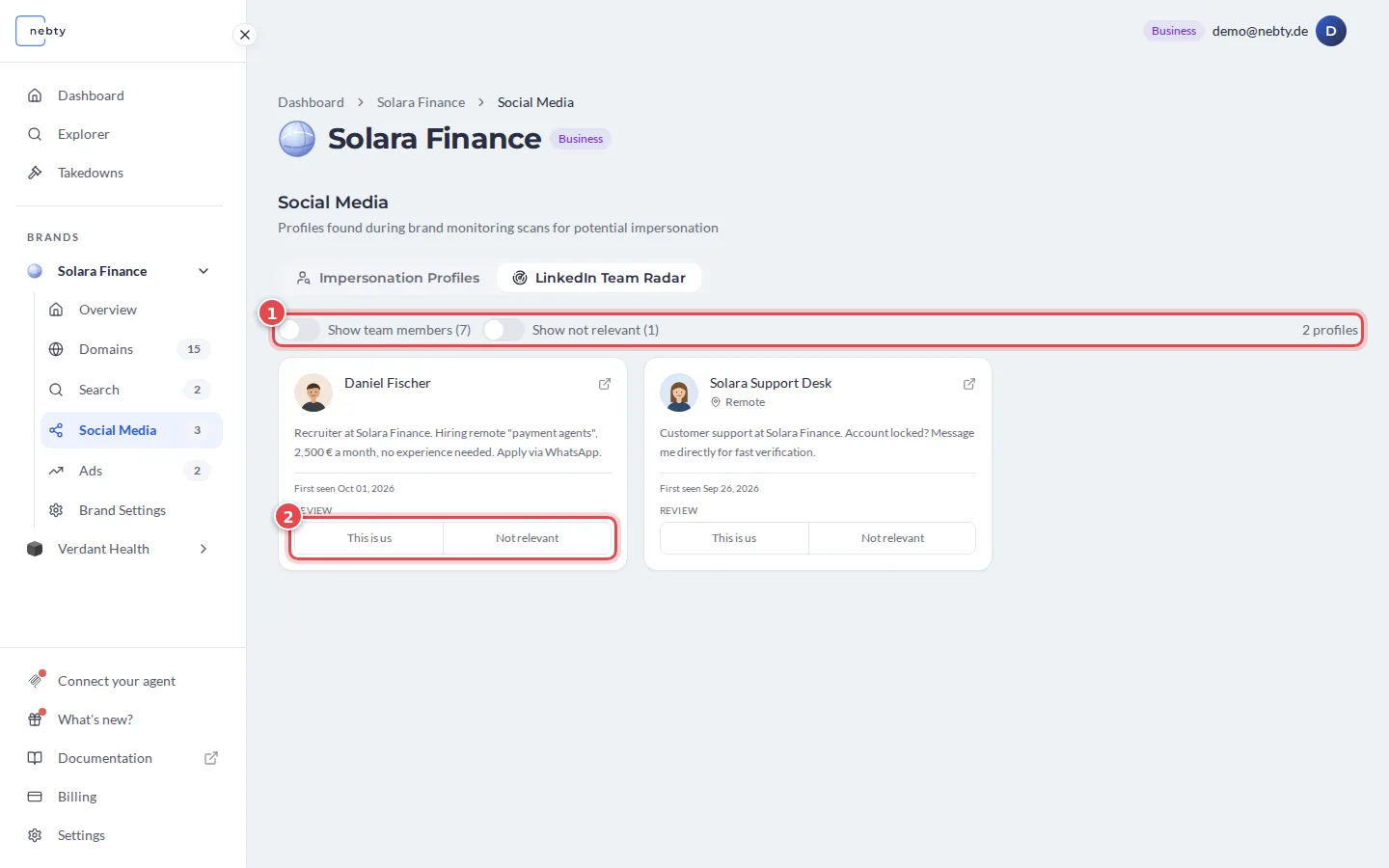
Use the switches (1) to show team members and not relevant profiles too. By default, only profiles that still need review are listed. Profiles that nebty recognises as your own people carry a Team member badge (1 in the next screenshot). Their review buttons are locked.
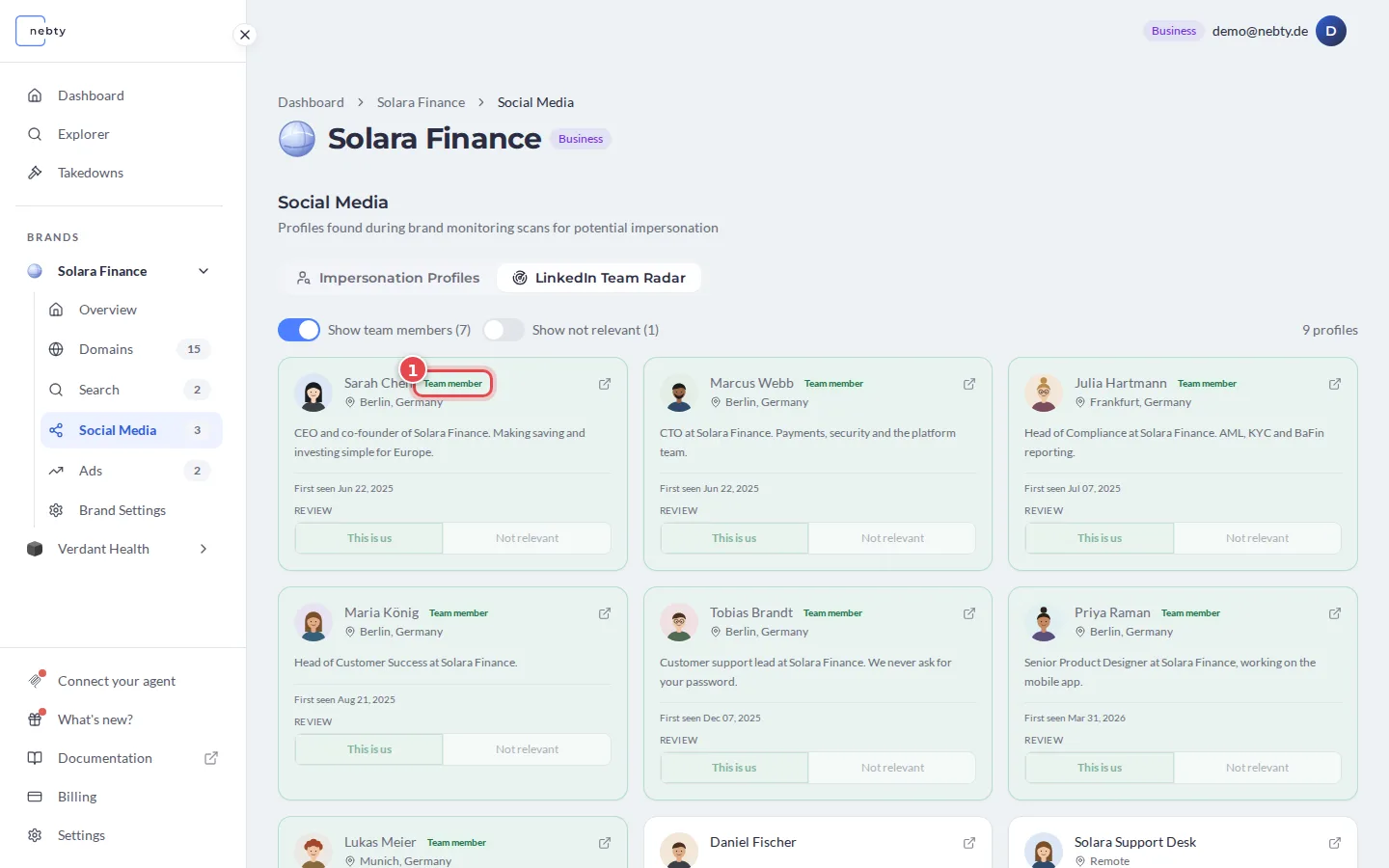
A profile can also carry a Possibly departed badge. This is a signal that someone claiming to be part of your team may no longer be, which is worth confirming before you decide how to act.
Review here works differently from the grid above. Each profile is marked This is us or Not relevant (2, in the third screenshot) only, and once you choose, the buttons are locked and that decision cannot be changed.
Reviewing
Section titled “Reviewing”Impersonation profiles are reviewed the same way as other findings in nebty. For each one, you choose:
- This is us: the profile belongs to you. It moves to Your verified presence.
- Not relevant: it is not impersonation and not worth pursuing. nebty hides it. You can bring it back with the review status filter.
- Threat: it is genuine impersonation, and the finding you act on.
Marking a profile as a threat is the starting point for a Takedown.