

Inspect a website screenshot
See what a suspicious site actually looks like, without opening it in your own browser. The red numbers in the screenshots match the numbers in each step.
Before you start
Section titled “Before you start”You need an account with a brand that has domain findings, and a domain from Domain Monitoring you want to look at.
-
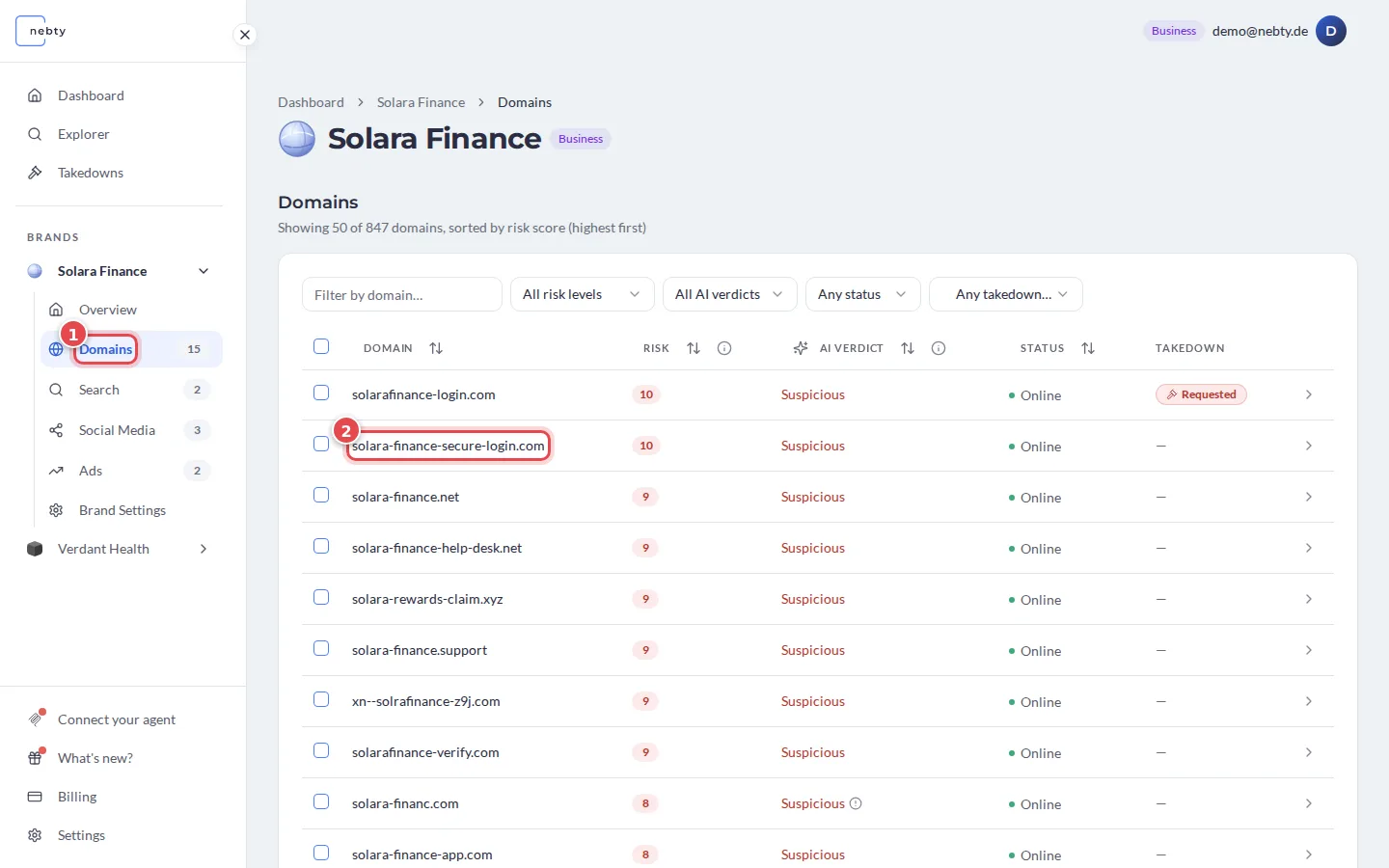
Open the domain. Select Domains (1) in the brand’s navigation and open the domain you want to inspect (2). This takes you to its domain detail view.
-
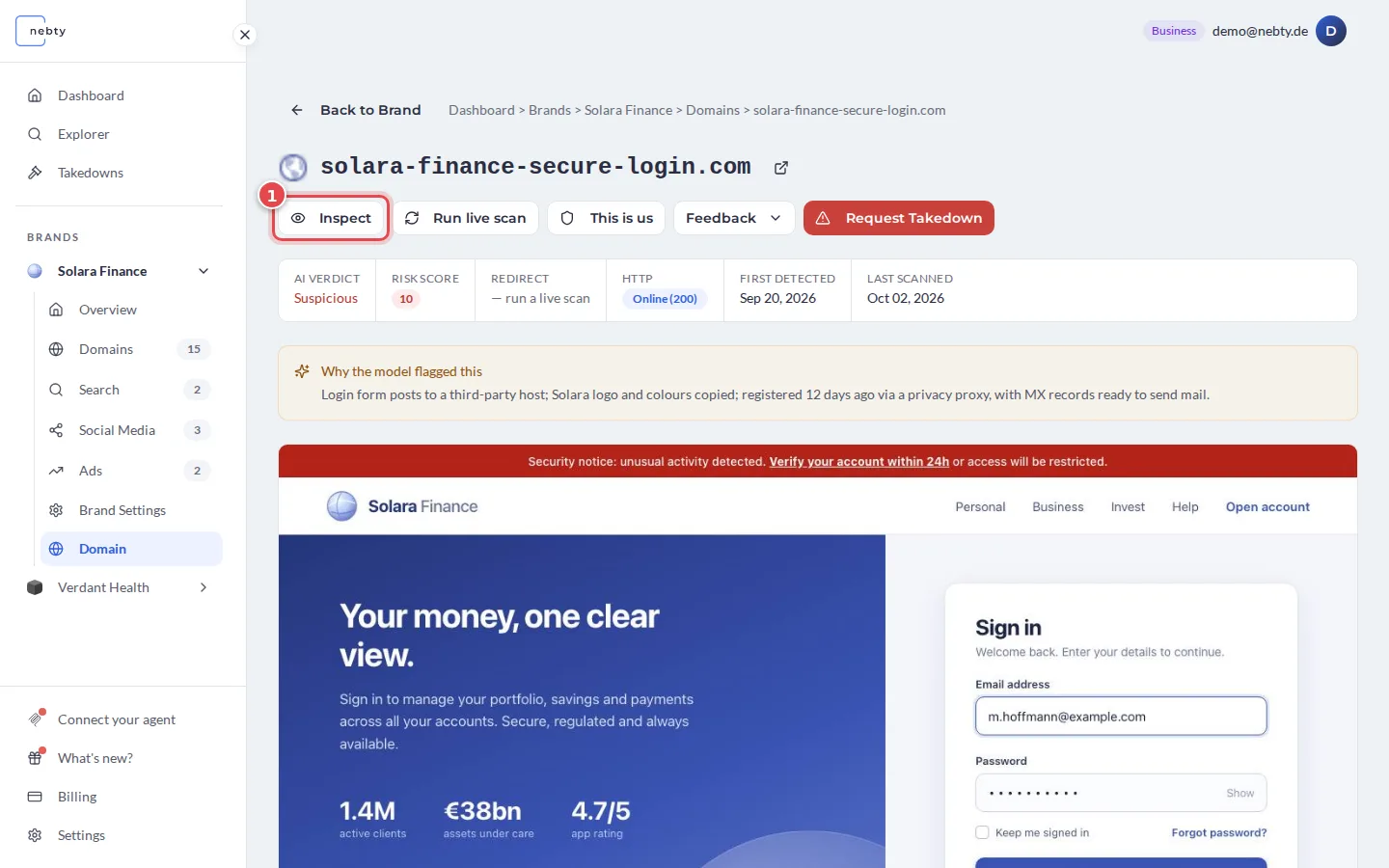
Select Inspect. On the domain detail view, select Inspect (1). A window titled Live preview opens. While nebty fetches the page, it shows Capturing live screenshot…. This usually takes 5 to 15 seconds.
-
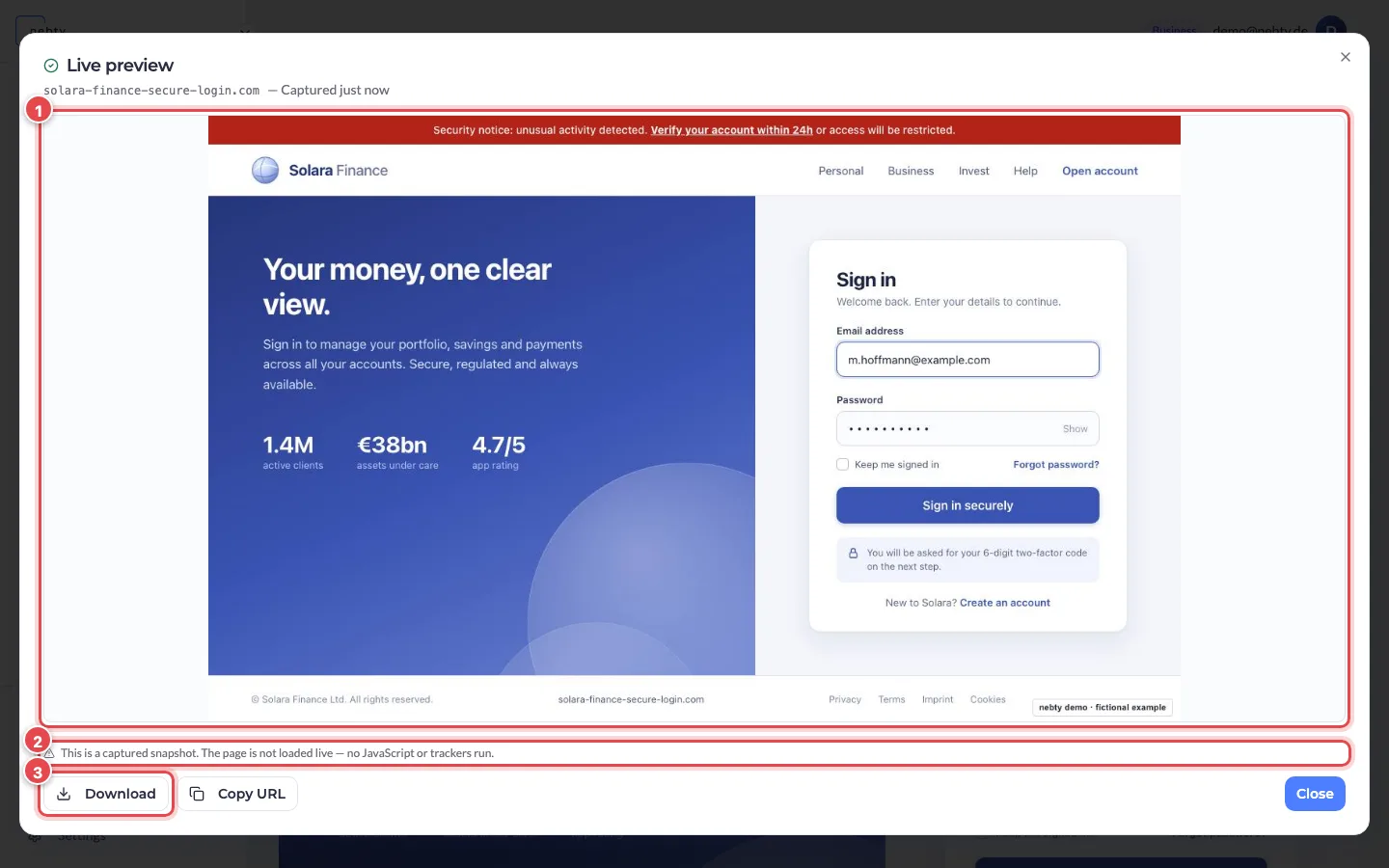
Read the captured page. nebty fetches a screenshot (1) of the site as it currently looks, so you can see its layout, branding, and any login or checkout page it presents, without visiting the domain yourself. The window says that this is a captured snapshot (2): the page is not loaded live, so the captured site’s JavaScript and trackers do not run in your preview window. Use Download (3) to save the screenshot, Copy URL to copy the address, and Close when you are done.
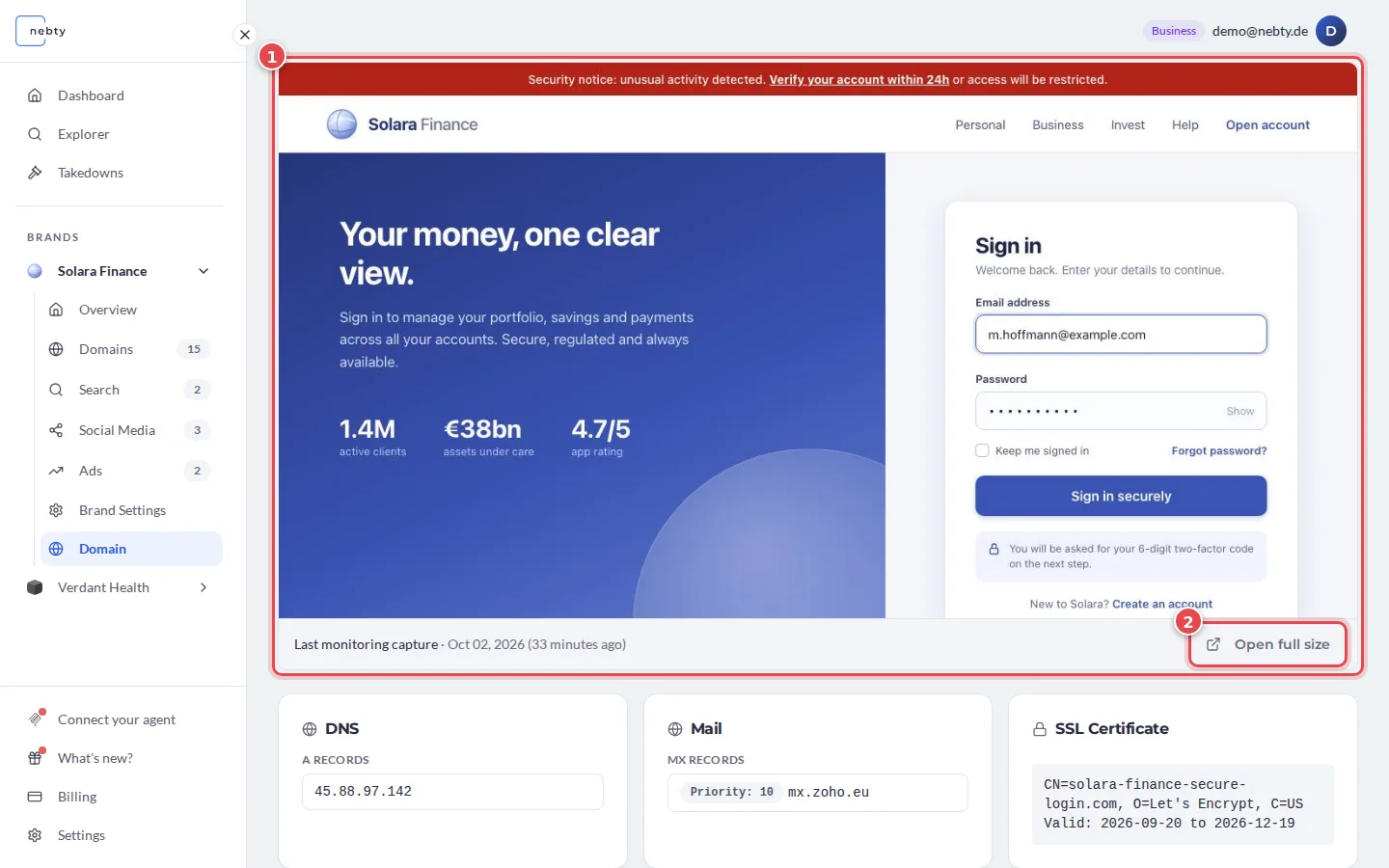
When a stored screenshot is available, the domain detail view shows the Last monitoring capture (1) of the site, with the date it was taken. Select Open full size (2) to see it larger. This is a quick way to look at the site when you do not need a fresh capture.
What happens next
Section titled “What happens next”Inspect gives you a snapshot of the site at the moment you asked for it, not a running preview you can click through. If the site is offline or blocks automated visits, the capture may not be available. Read it together with the Risk Score and AI Verdict on the same page to decide whether the domain is worth a Takedown.
In the public demo, Inspect shows a stored sample capture instead of fetching the site live.
Related: Domain Monitoring.
Open a domain detail in the demo(opens the public demo with sample data)