
API access
The nebty API gives your own tools the same data you see in the dashboard. You can read your brands, their monitored domains and scans, and your takedowns. You can also request a new takedown.
- Base URL:
https://app.nebty.de/core/api/ - Format: JSON in, JSON out
- Reference: every endpoint is listed in the API reference.
- OpenAPI document: download
openapi.jsonto generate a client or to import the API into a tool such as Postman.
The API is for your own scripts and integrations. If you want to ask an AI assistant such as Claude about your nebty data in plain language instead, you do not need an API key: see Connect nebty to Claude.
Get an API key
Section titled “Get an API key”You create your key yourself in the dashboard. Brand admins, partner and enterprise accounts can do this; your email address must be confirmed. If you cannot create a key, ask an admin of your brand, or write to [email protected].
-
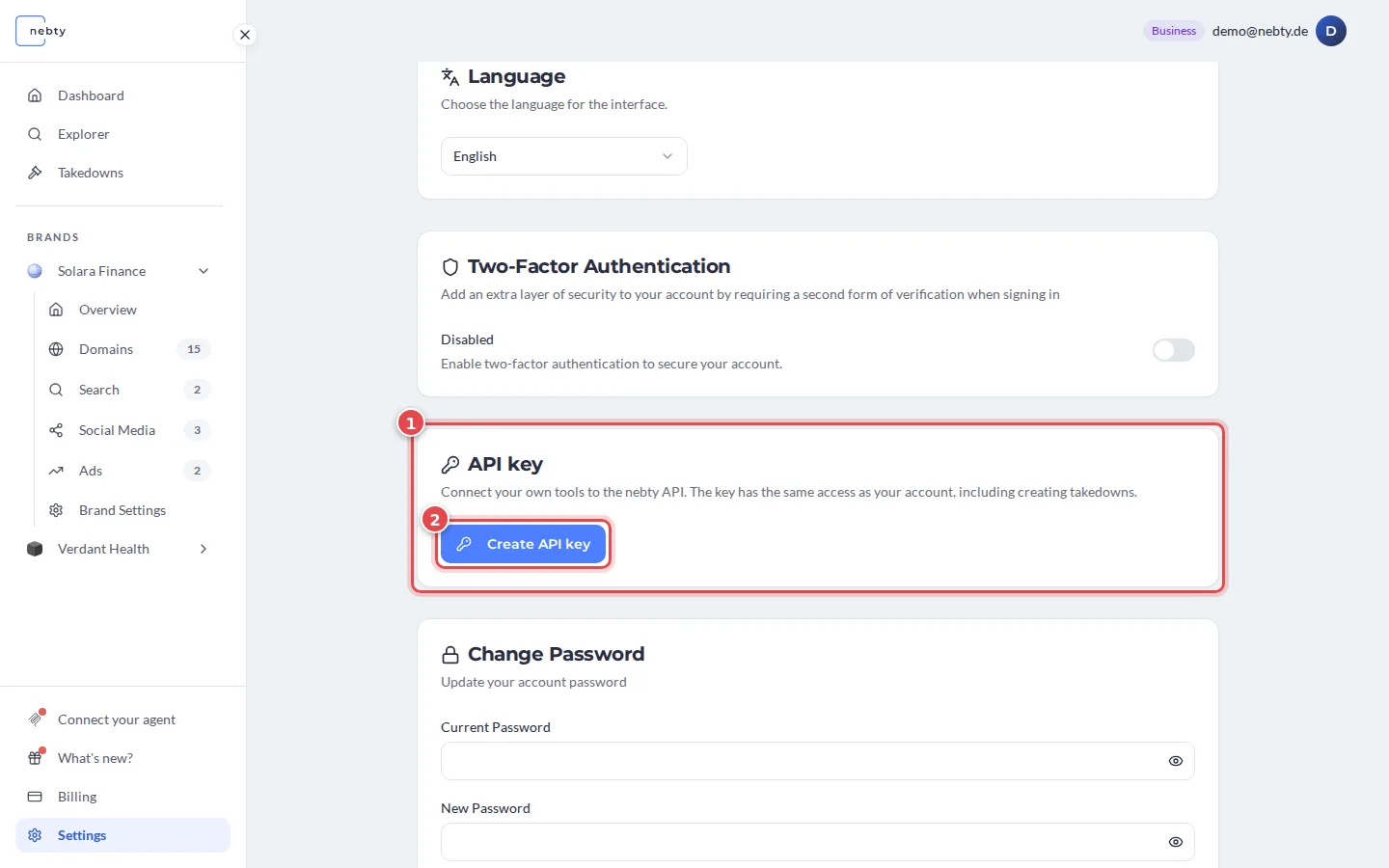
In the dashboard, open Settings and find the API key card (1). Select Create API key (2).
-
Copy the new key (1) right away. The full key is shown only once (2). Store it in a password manager or a secret store, not in source code.
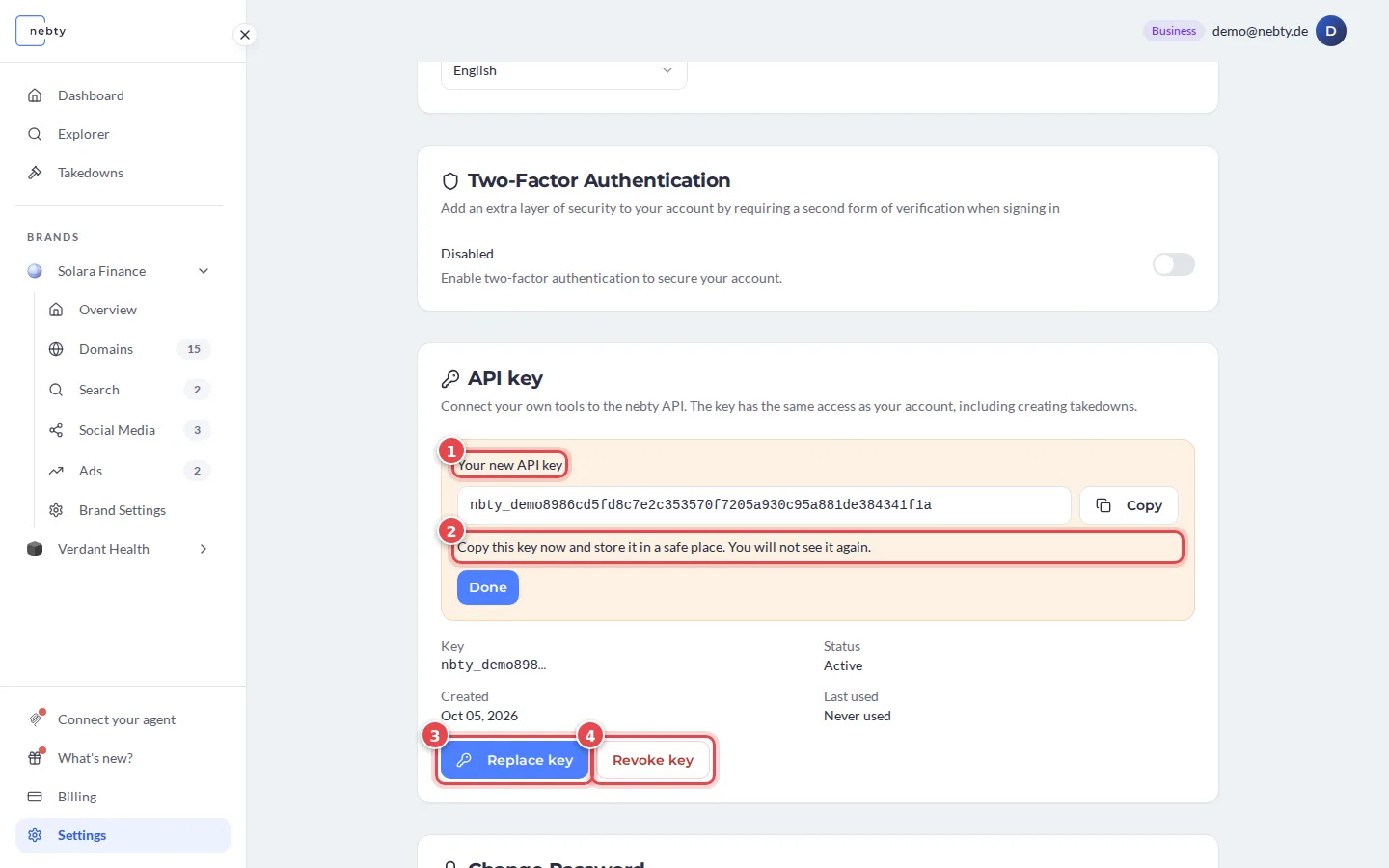
Each user has one key. On the same card you see when the key was created and last used. Replace key (3) creates a new key, and the old one stops working at once. Revoke key (4) switches the key off at once. Tools that still use the old key fail until you give them the new one.
What the key can do
Section titled “What the key can do”A key belongs to one nebty user and acts as that user:
- It sees the same brands and takedowns as that user in the dashboard. If the user’s rights change, the key’s rights change too.
- It is not read-only. It can do what that user can do through the API.
- A takedown that you request for a brand with active monitoring starts straight away with the status
OPEN. There is no extra confirmation step.
Treat the key like a password. If you think it has leaked, replace or revoke it in Settings right away.
Send the key
Section titled “Send the key”Send the key in the Authorization header, with the scheme Api-Key:
Authorization: Api-Key nbty_your_keyUse Api-Key, not Bearer. A request with a missing, wrong or inactive key gets 401 Unauthorized.
Next steps
Section titled “Next steps”- Quickstart: make your first calls with curl.
- Basics: pagination, compact responses and errors.
- Connect nebty to Claude: use nebty from an AI assistant, without an API key.